Railcar Management
A petrochemical rail yard ran on paper. I stood in it across shifts, then designed the two apps that replaced the printout: one for gloved hands in the weather, one for the people scheduling them inside.
- When2019
- ForLumenalta, formerly Clevertech
- RoleLead UX/UI Designer
- TeamPM, 5 engineers, 2 ML specialists, operations specialists
- ToolsFigma, Excel, Material Design, Storybook.js
The brief
Katoen Natie is a Belgian logistics group that stores and processes petrochemicals. I led design on their railcar management system at Clevertech, now Lumenalta. The yard ran on paper.
On paper
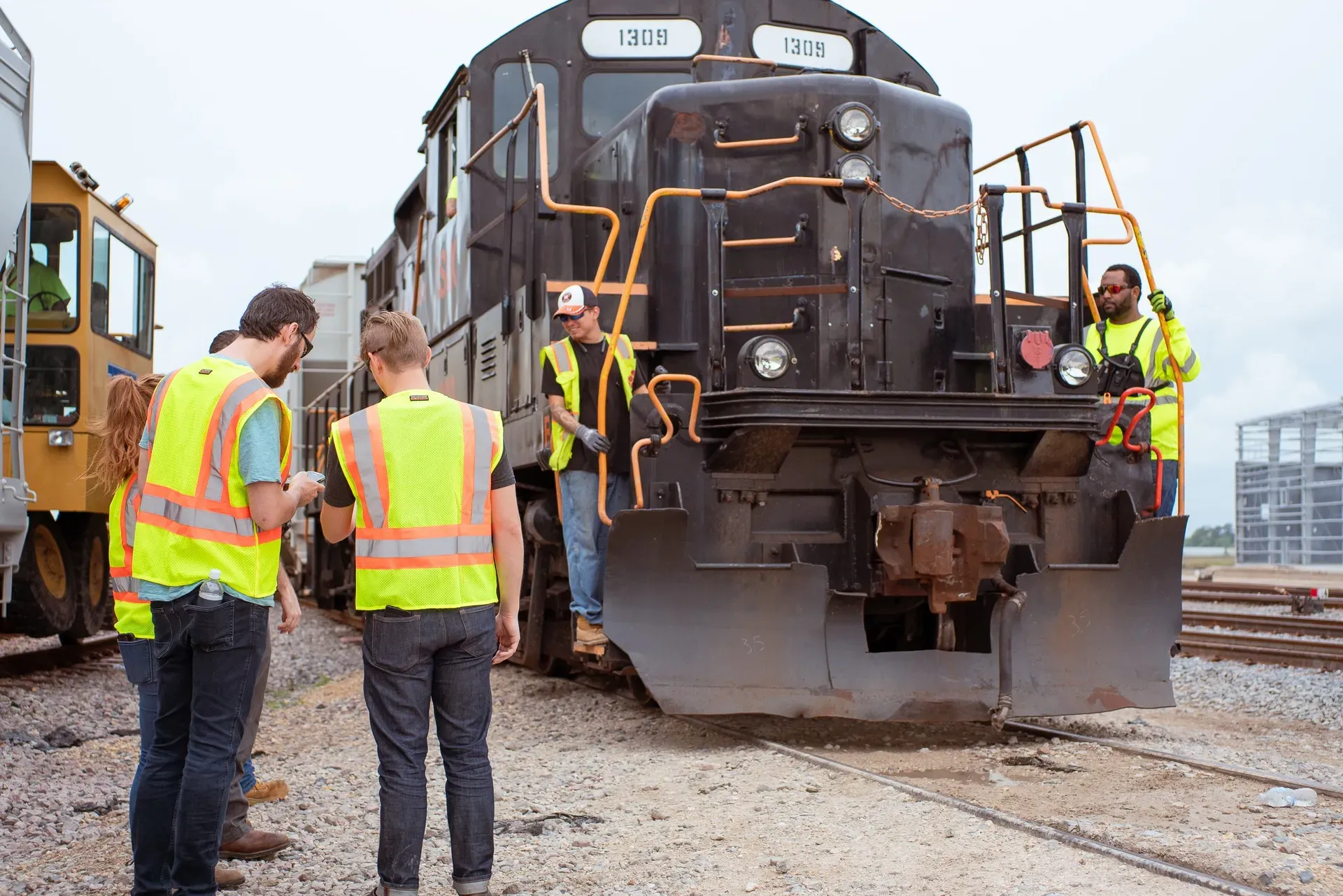
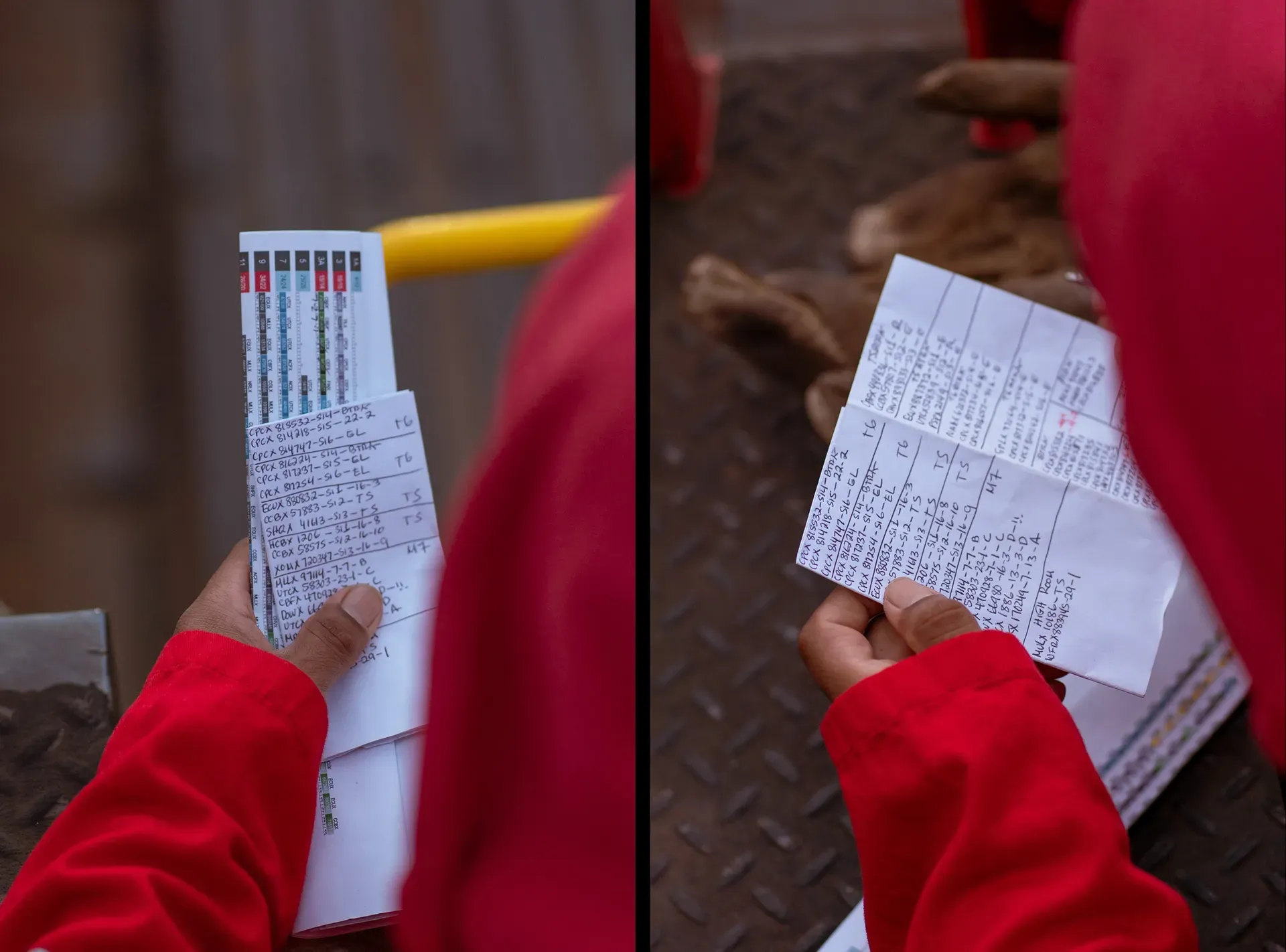
A railcar arrives full of petrochemical waste, gets parked on a track, matched to a machine and a silo, emptied, cleaned and sent back out, across shifts of people who mostly do not overlap.
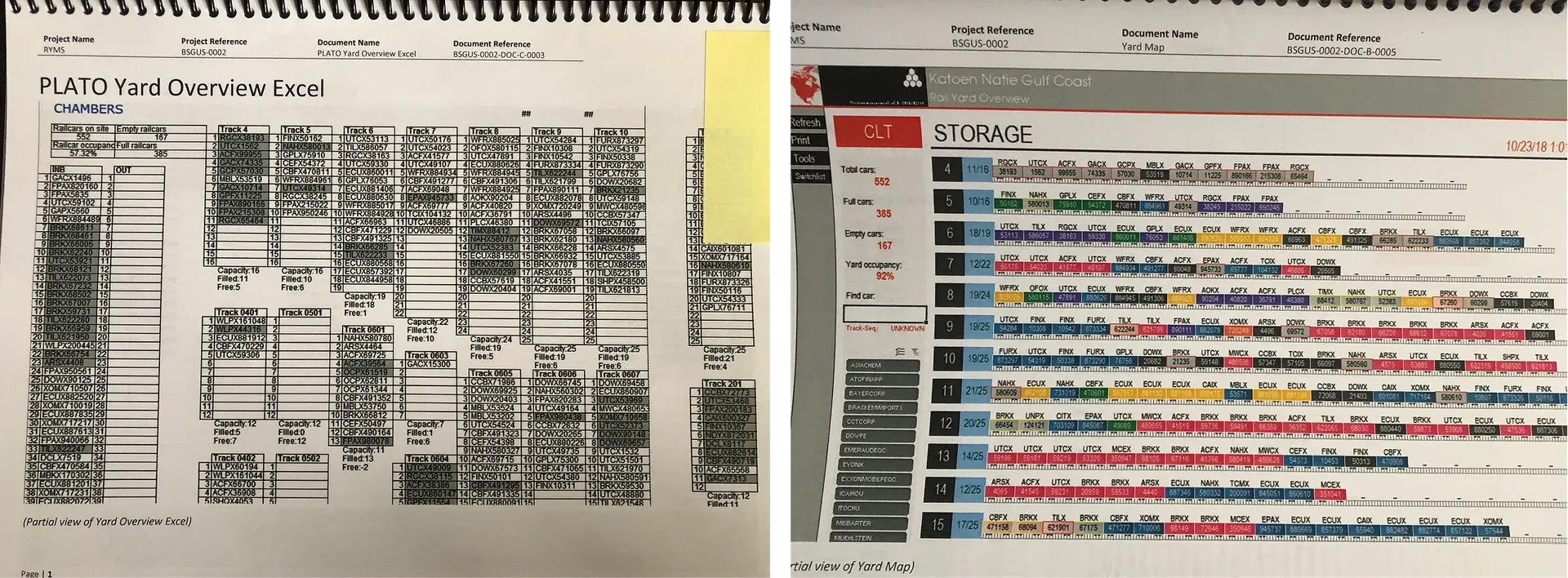
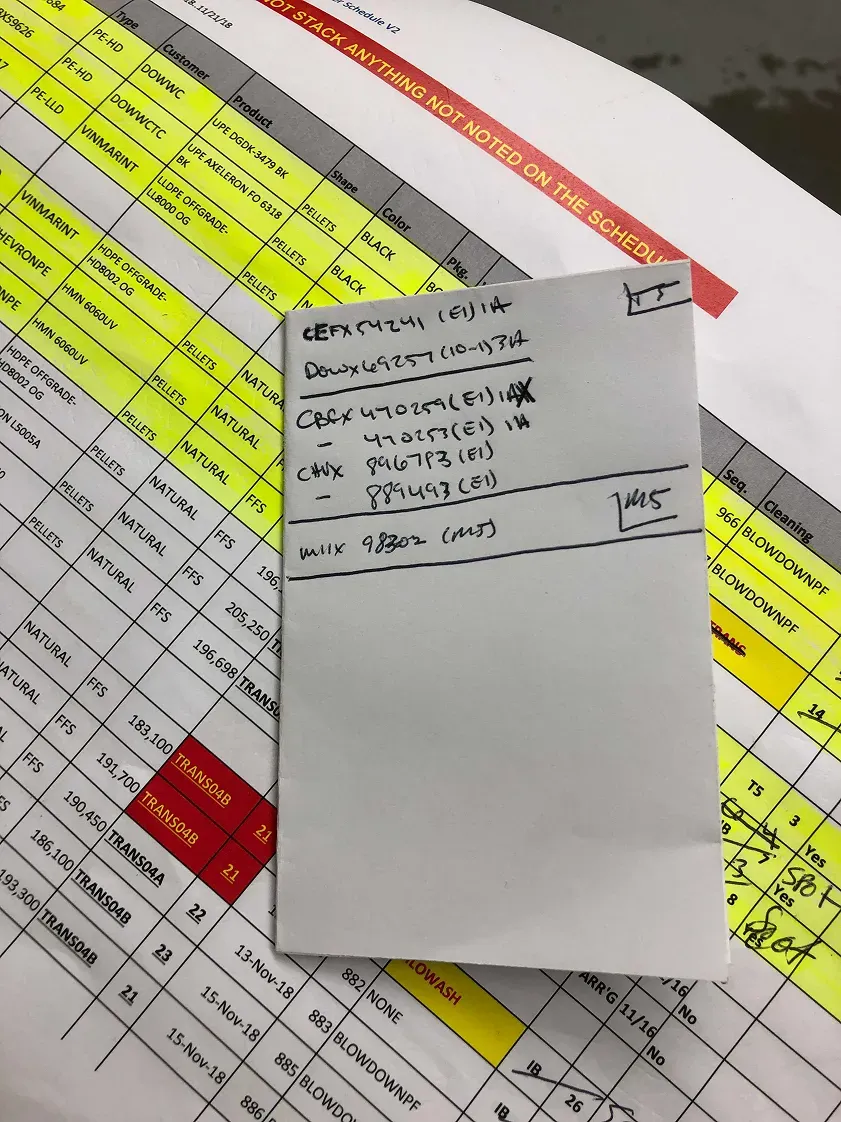
Operators outside carried clipboards and radios; managers inside worked from printed spreadsheets. The plan for the day was a printout, and it was out of date as soon as the yard moved.
The expensive failure was the shift change: what one crew had learned was passed on by word of mouth or on a sheet, and whatever fell through became somebody else’s surprise. With hazardous material, surprises are not a productivity problem.
Standing in it
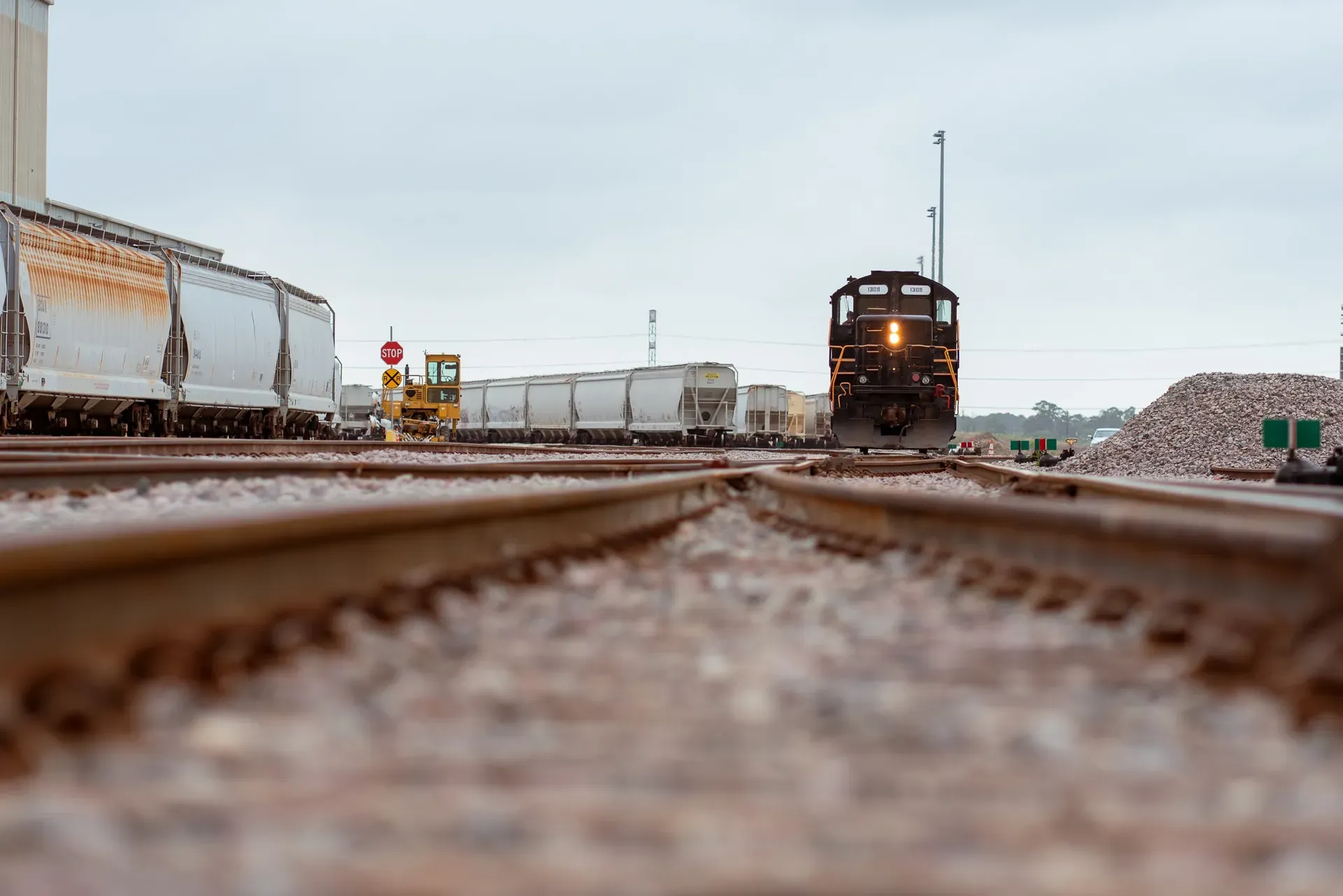
Standing in the yard is the only reason this worked. Operators wear gloves they will not take off for a phone. In daylight most screens are unreadable. Connectivity across a yard full of steel comes and goes. None of that shows up in a requirements document, and all of it decides whether the thing gets used.
Two apps
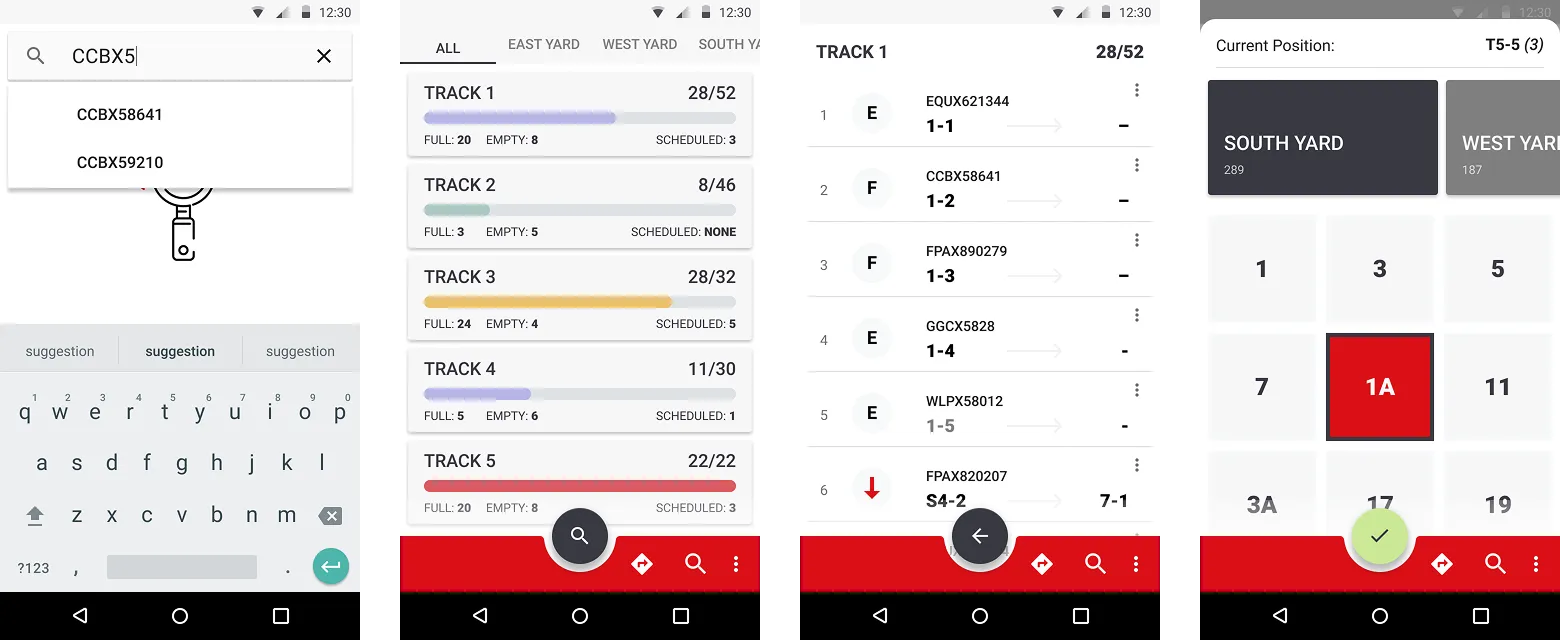
Two apps, because there are two jobs: outside, the railcar in front of you; inside, all of them over the shift.
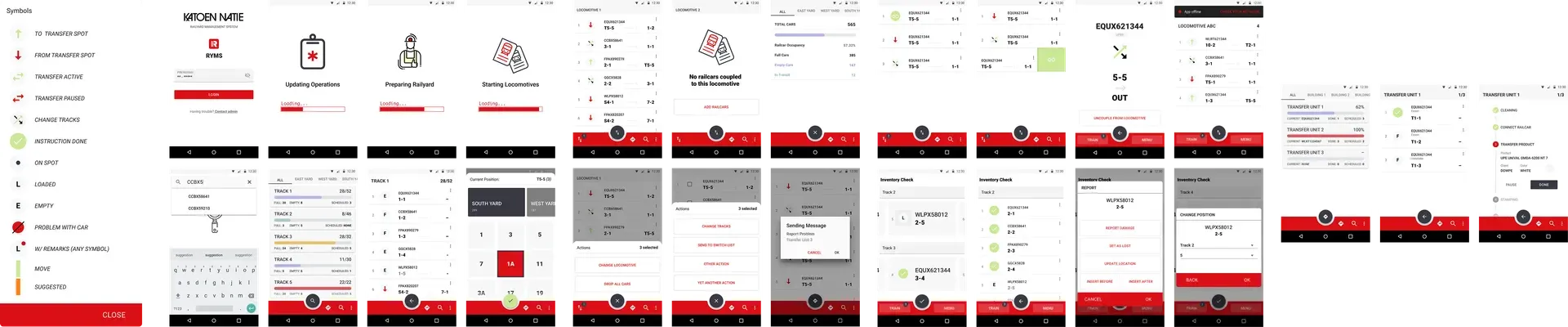
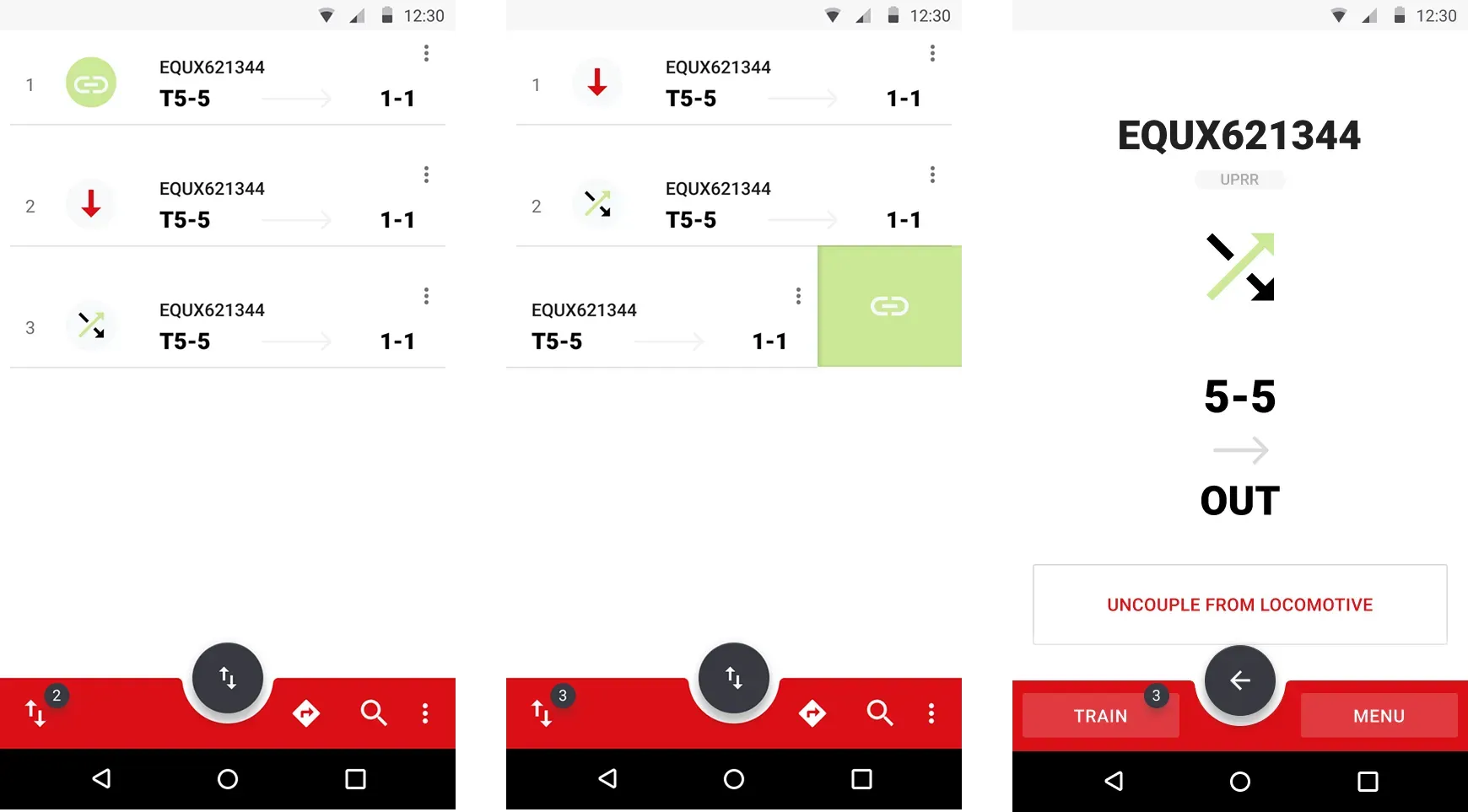
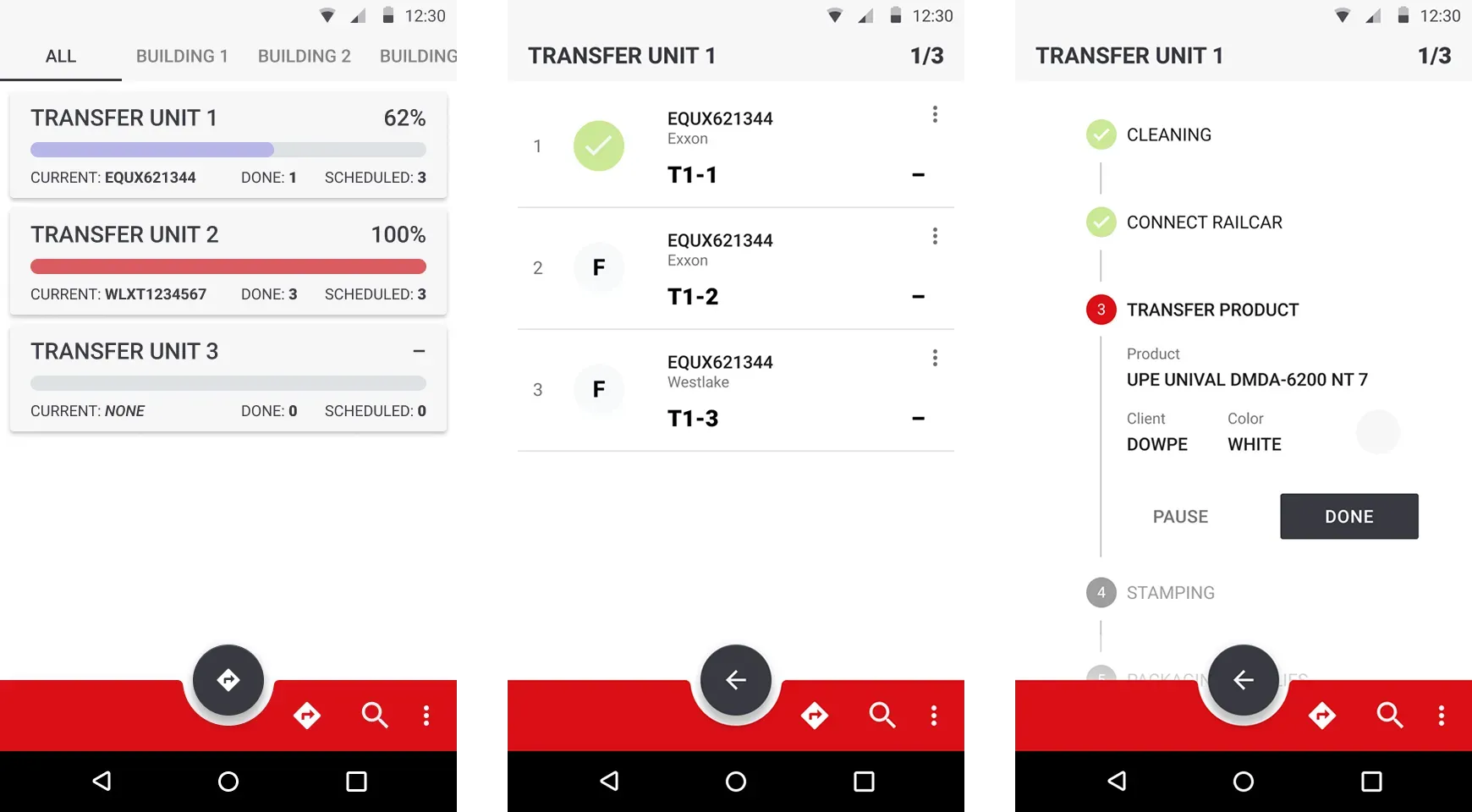
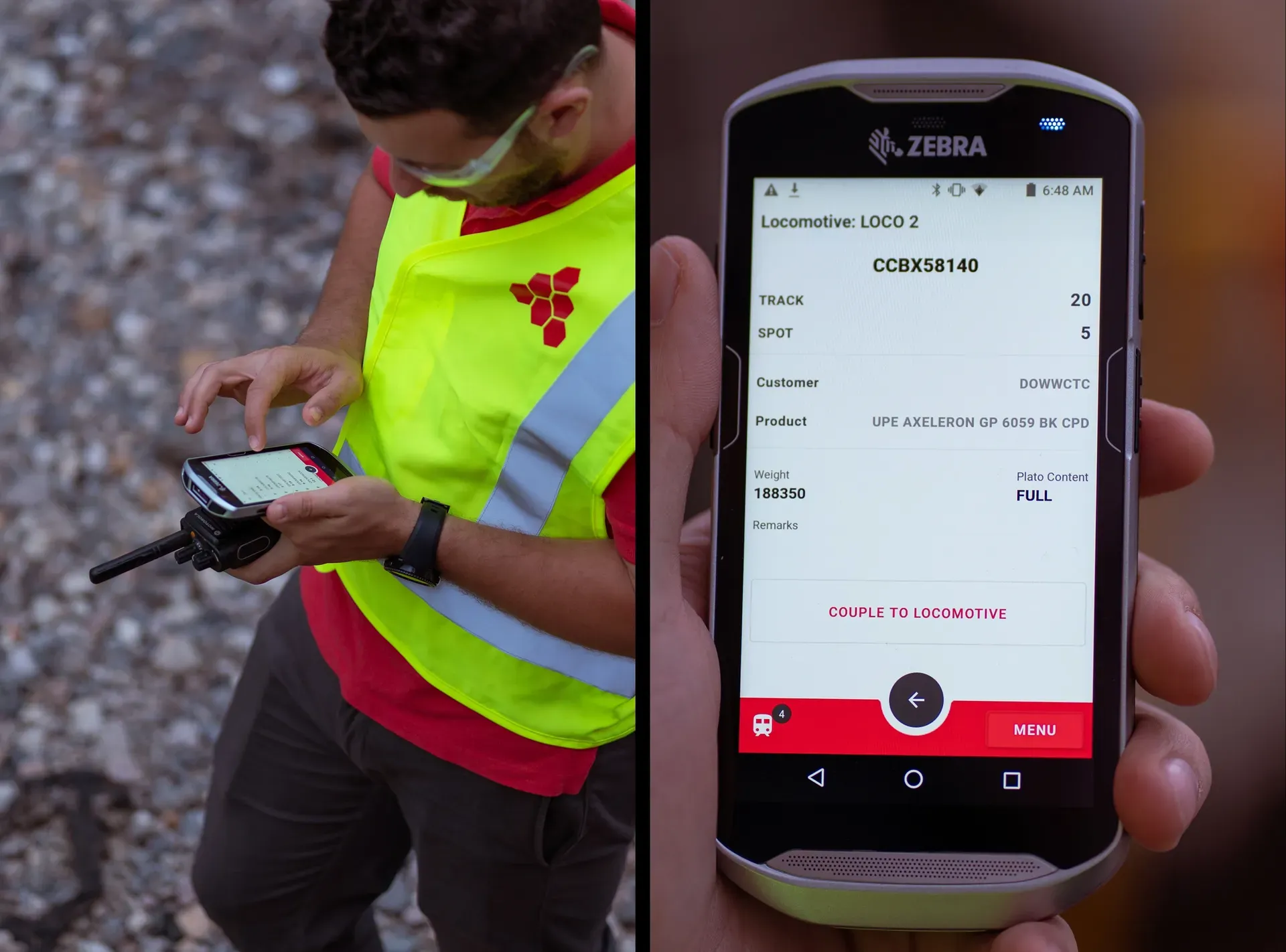
The mobile app is designed down rather than up. Big targets for gloved hands, high contrast for daylight, short paths.
Where the task is
Safety checklists live in the flow, at the point of the task, so they are not done afterwards from memory. It works offline by default and syncs when the yard gives it a signal.
The plan, alive
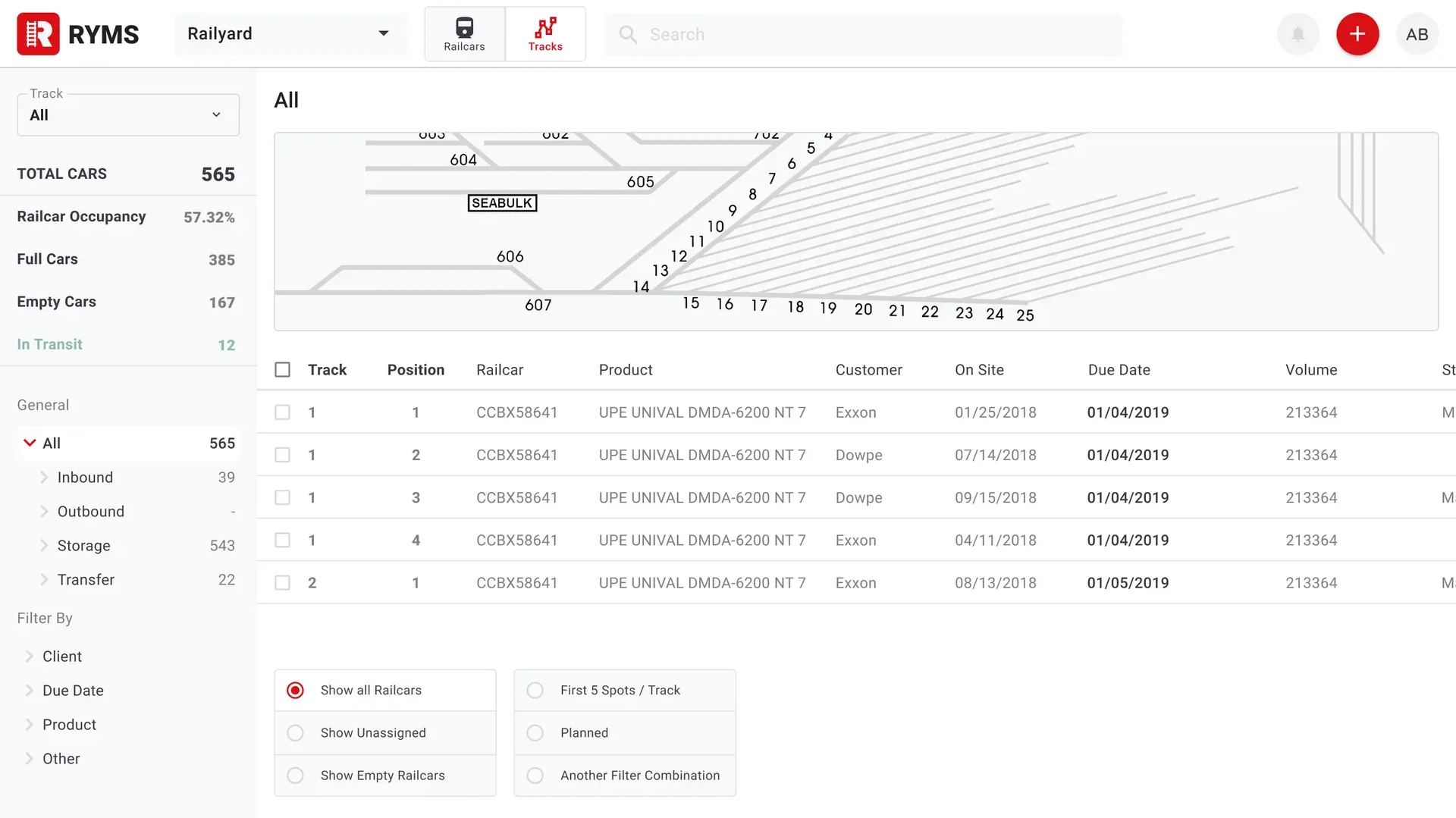
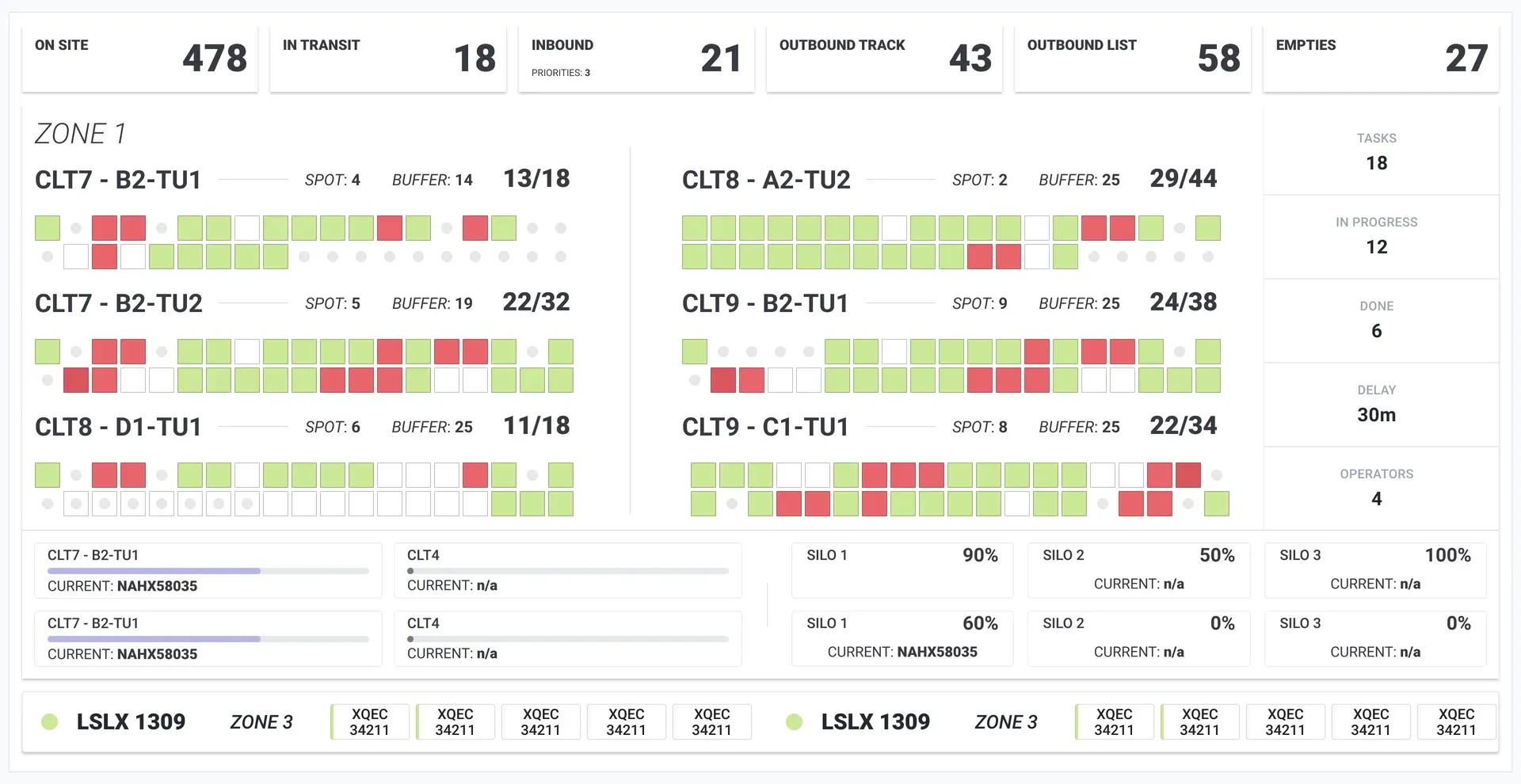
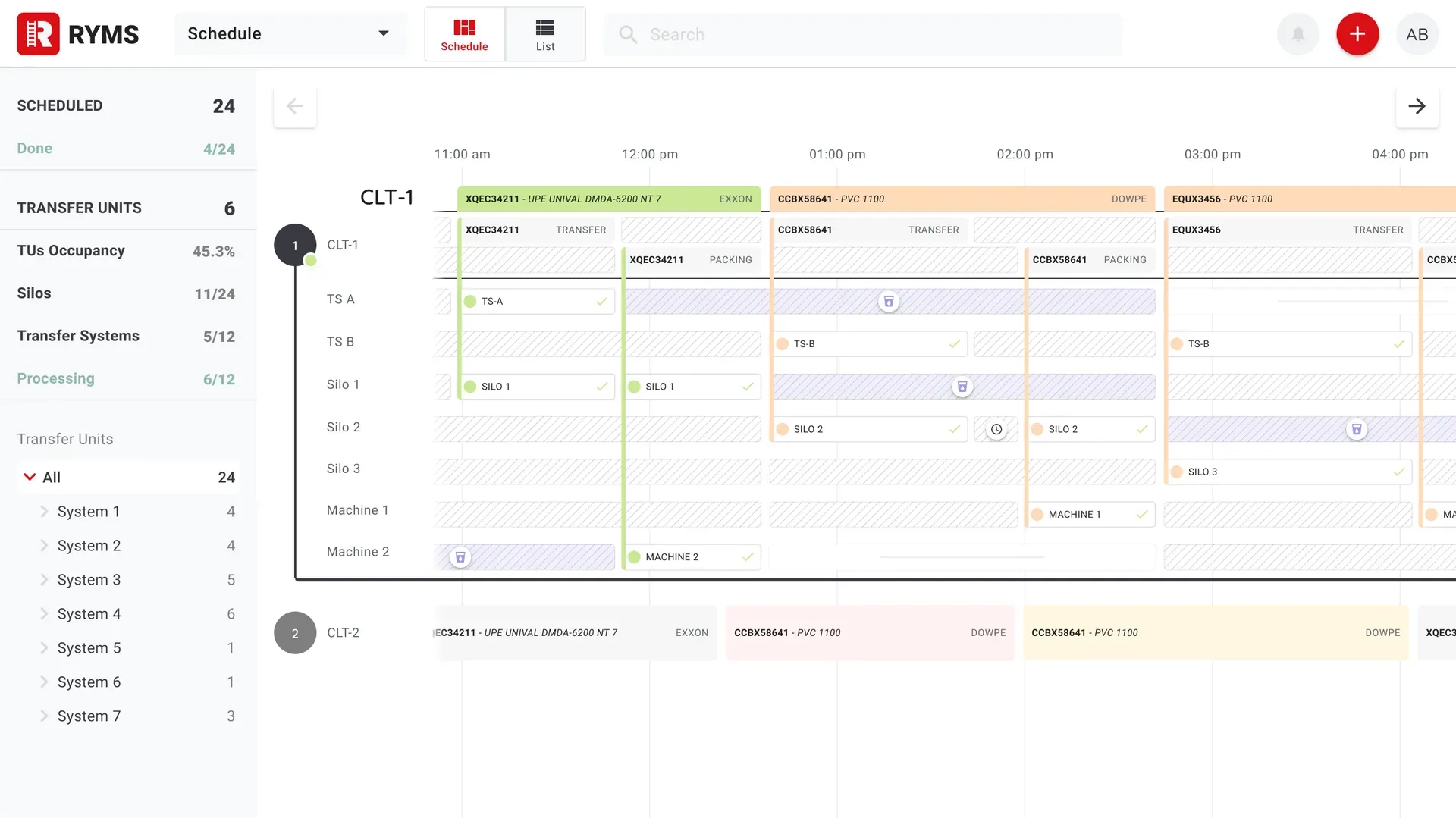
The desktop side is the printed plan, alive: A timeline of what is assigned to each track and machine, and a yard view of where every railcar is. The same screens run on displays in the warehouses and silos, so the plan is visible where the work is.
In the weather
There was no usability lab for this: a pilot with a few operators, then a rollout across shifts, because the night shift is not the day shift with the lights off. Most of what came back was about robustness: a sync that fails halfway, a screen carried from a dark warehouse into full sun, a number reported by a device that has been offline.
The operators were the best source of correction I had, and the least likely to volunteer anything unless asked. Almost every meaningful change came from someone mentioning, in passing, something they had already worked around.
What changed
The paper went away. The shift handover became reading a screen, and the compliance record became a byproduct of the work.
I do not have verified numbers and will not put an unsourced percentage here. What shipped and stayed: a mobile app the operators use outside in the weather, a scheduling and yard system the managers run the day from, and the same plan on displays through the warehouses.