Katoen Natie: Railcar Management Automation System

Katoen Natie is a Belgian logistics group that stores and processes petrochemicals. I led design on their railcar management system at Clevertech, now Lumenalta, from 2018 to 2019, with a PM, five engineers, two ML specialists, and their own operations people. The yard ran on paper: clipboards, radios, printed spreadsheets, and phone calls. My job was a mobile app for the people outside in the weather and a desktop system for the ones scheduling them, covering railcars, machinery, silos, and who is doing what next.

Role
Lead UX/UI Designer
Team
PM, 5 Engineers, 2 ML Specialists, Operations Specialists
Timeline
24 months
Tools
Figma, Excel, Material Design, Storybook.js

The yard ran on paper

A railcar arrives full of petrochemical waste. It gets parked on a track, matched to a machine and a silo with room for it, emptied, cleaned, and sent back out. Multiply that by a yard full of tracks, running around the clock, across shifts of people who mostly do not overlap.

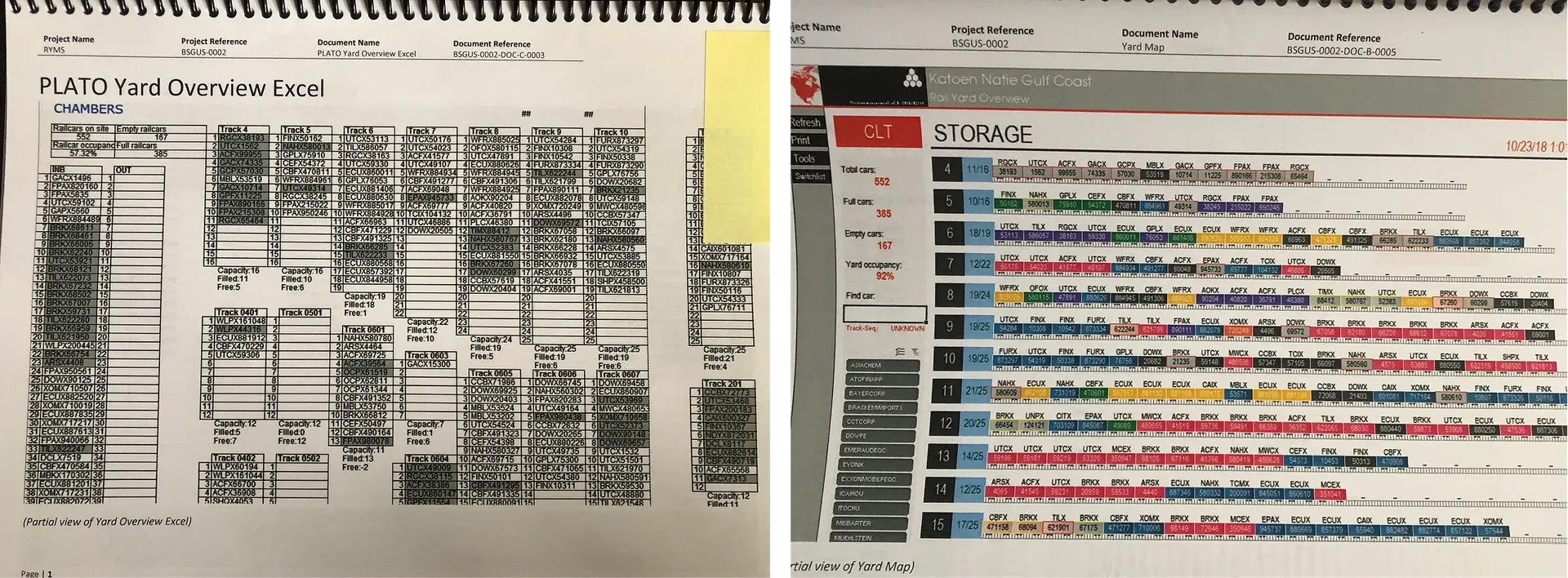
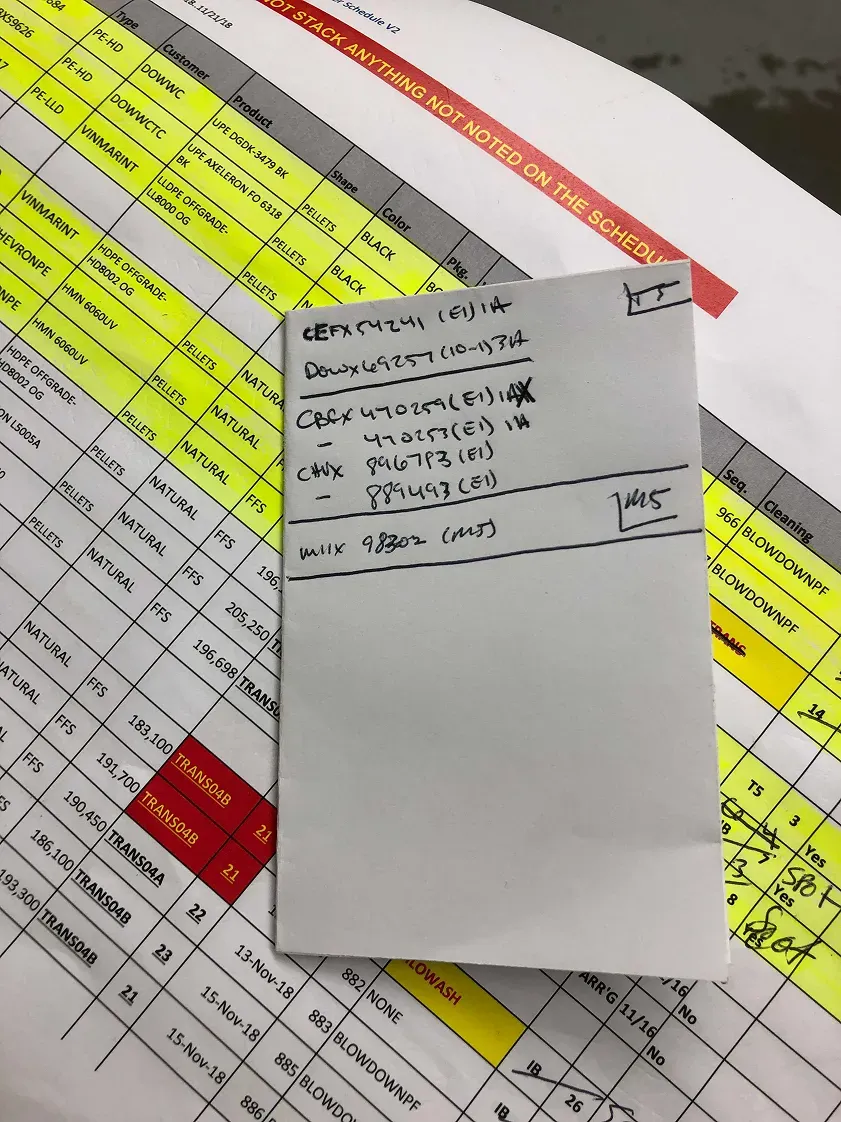
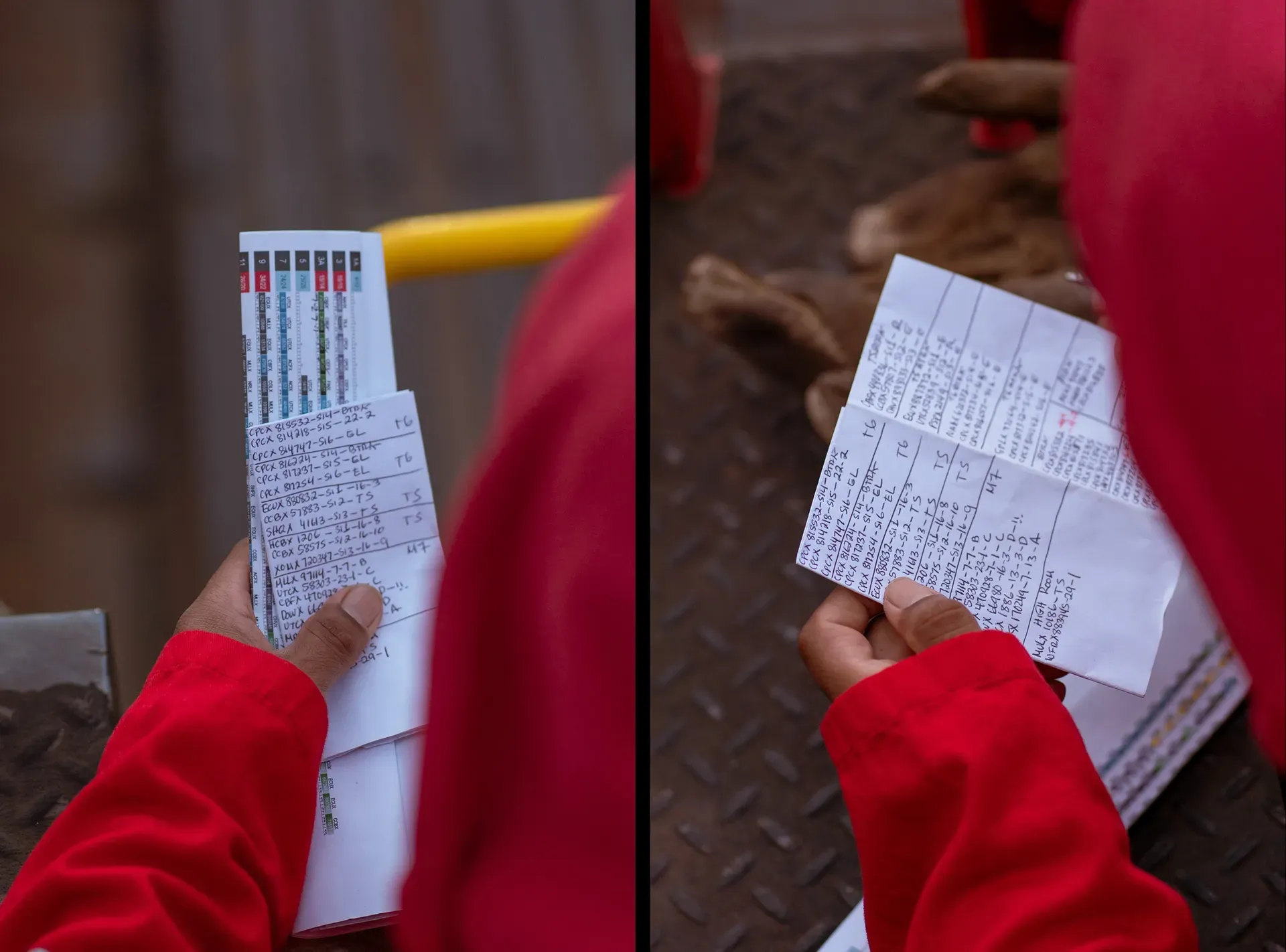
All of it was coordinated on paper. Operators outside carried clipboards and used radios. Managers inside worked from printed spreadsheets and made phone calls. The plan for the day was literally a printout, and by mid-morning it was fiction, because the yard had moved and the paper had not.

The expensive failure was the shift change. Everything one crew had learned in eight hours was passed on verbally or written on a sheet, and whatever fell through that gap became somebody else's surprise. With hazardous material and heavy equipment, surprises are not a productivity problem. Nobody could tell you the state of the yard at any given moment, which also made the compliance paperwork a reconstruction after the fact rather than a record of what happened.
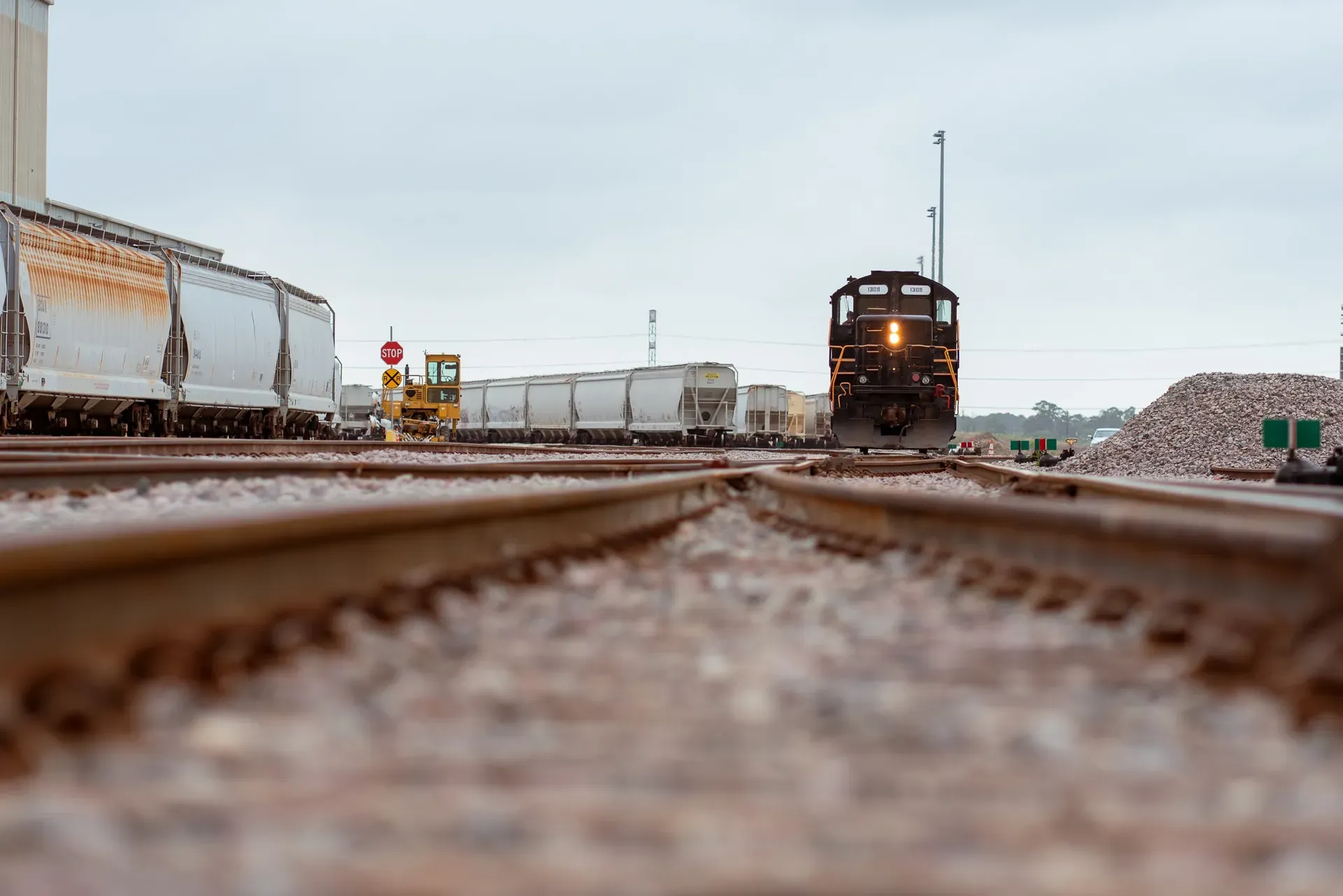
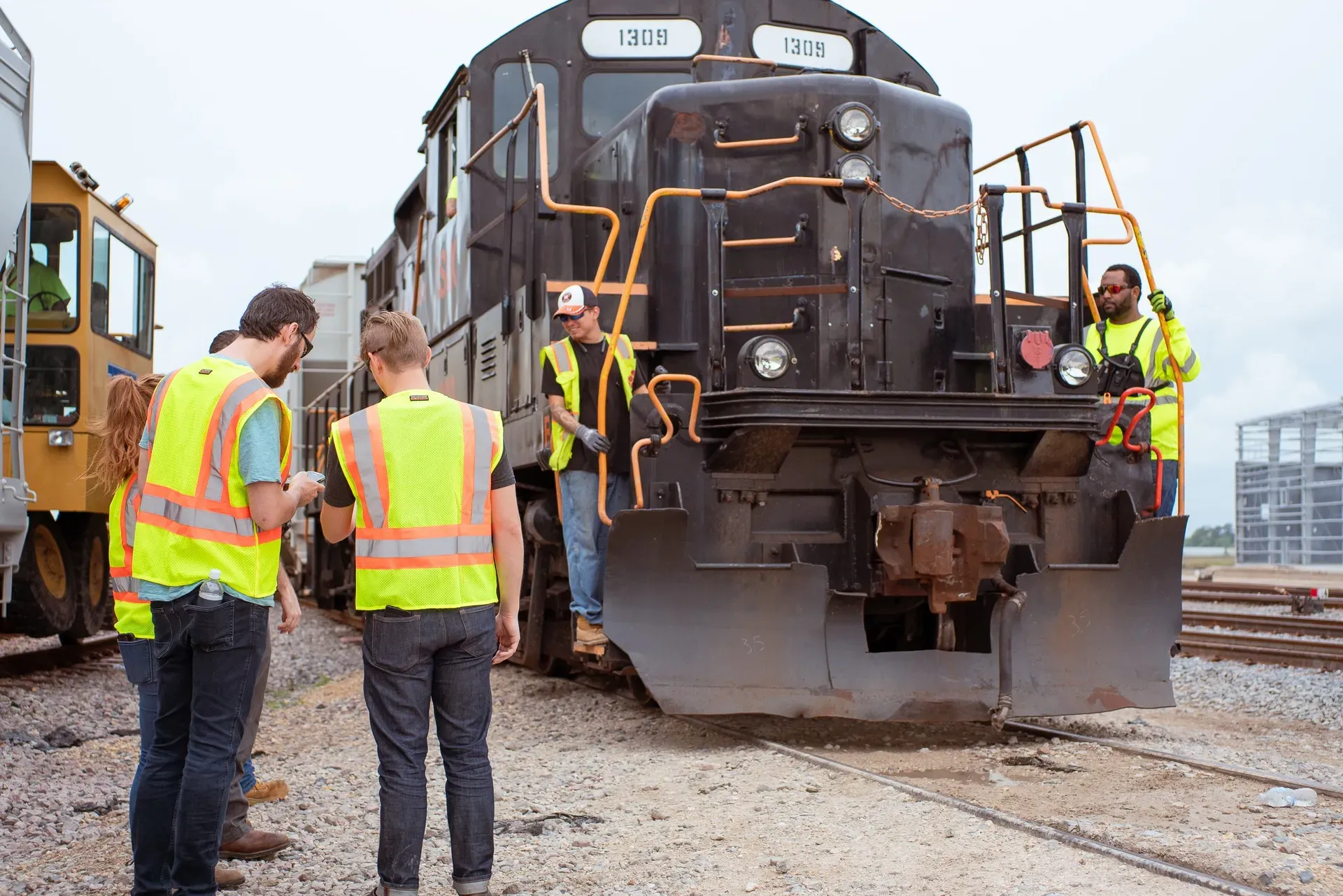
Photo of railcars and locomotive at Katoen Natie's petrochemical facility

Photo of railcars and locomotive at Katoen Natie's petrochemical facility.

Standing in the yard

I went and stood in it, across different shifts, which is the only reason this project worked. Almost everything that ended up mattering was invisible from a meeting room.

Operators wear gloves they are not going to take off to use a phone. In direct daylight, outdoors, most screens are unreadable at the contrast levels ordinary software ships with. Connectivity across a yard full of steel comes and goes, so anything that needs the network in order to function is going to fail at the worst possible moment. And the equipment already out there had status to report, if something was built to listen to it.

Those constraints did more to shape the design than any workshop would have. They are also the reason I am suspicious of industrial software designed entirely from an office: none of them show up in a requirements document, and all of them decide whether the thing gets used.

Photo of the team conducting field interviews to understand railcar operations

Photo of the team conducting field interviews to understand railcar operations.

Photo of printed excel sheet with railcar and silo information, and a paper plan

Photo of printed excel sheet with railcar and silo information, and a paper plan.

Photo of printed yard-overview with tracks and railcars information

Photo of printed yard-overview with tracks and railcars information.

Two apps, because there are two jobs

I split it into a mobile app for the yard and a desktop system for the office, because the two jobs have almost nothing in common. Outside, you are dealing with the railcar in front of you. Inside, you are deciding what happens to all of them over the rest of the shift. A single interface trying to serve both would have been worse at each.

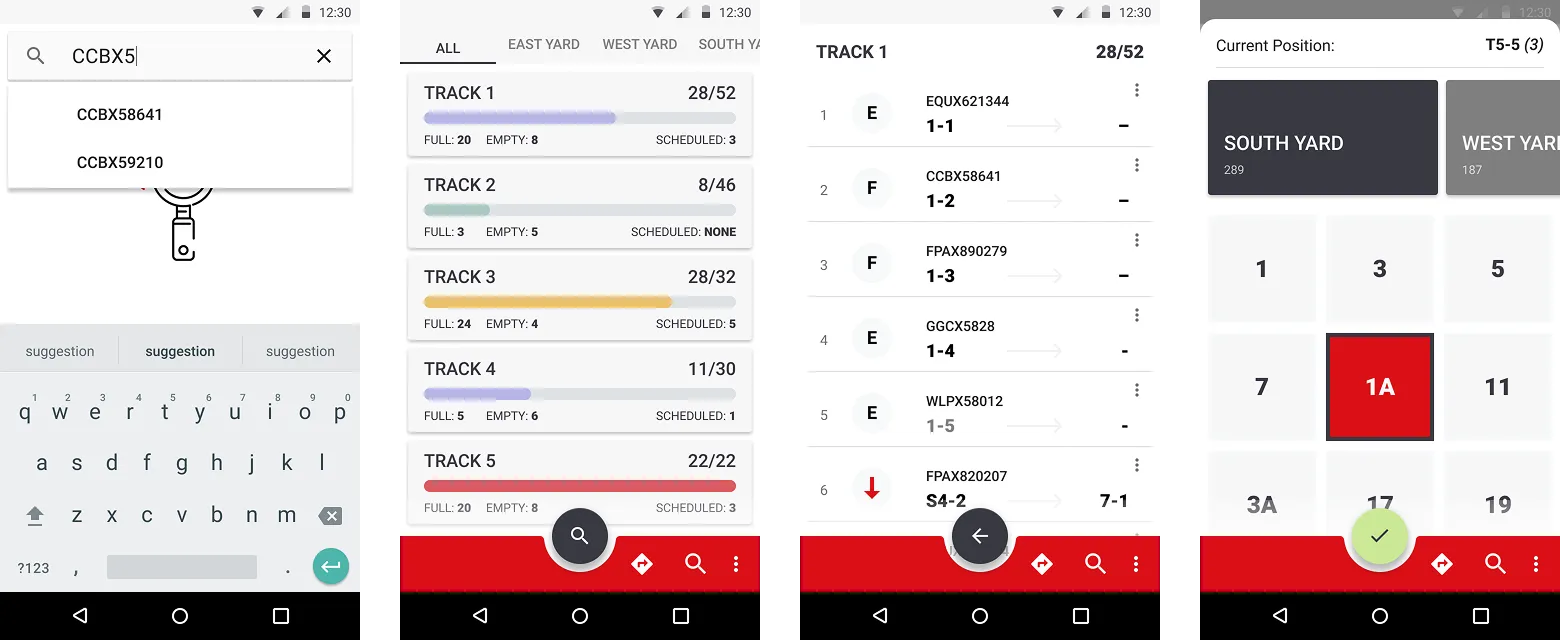
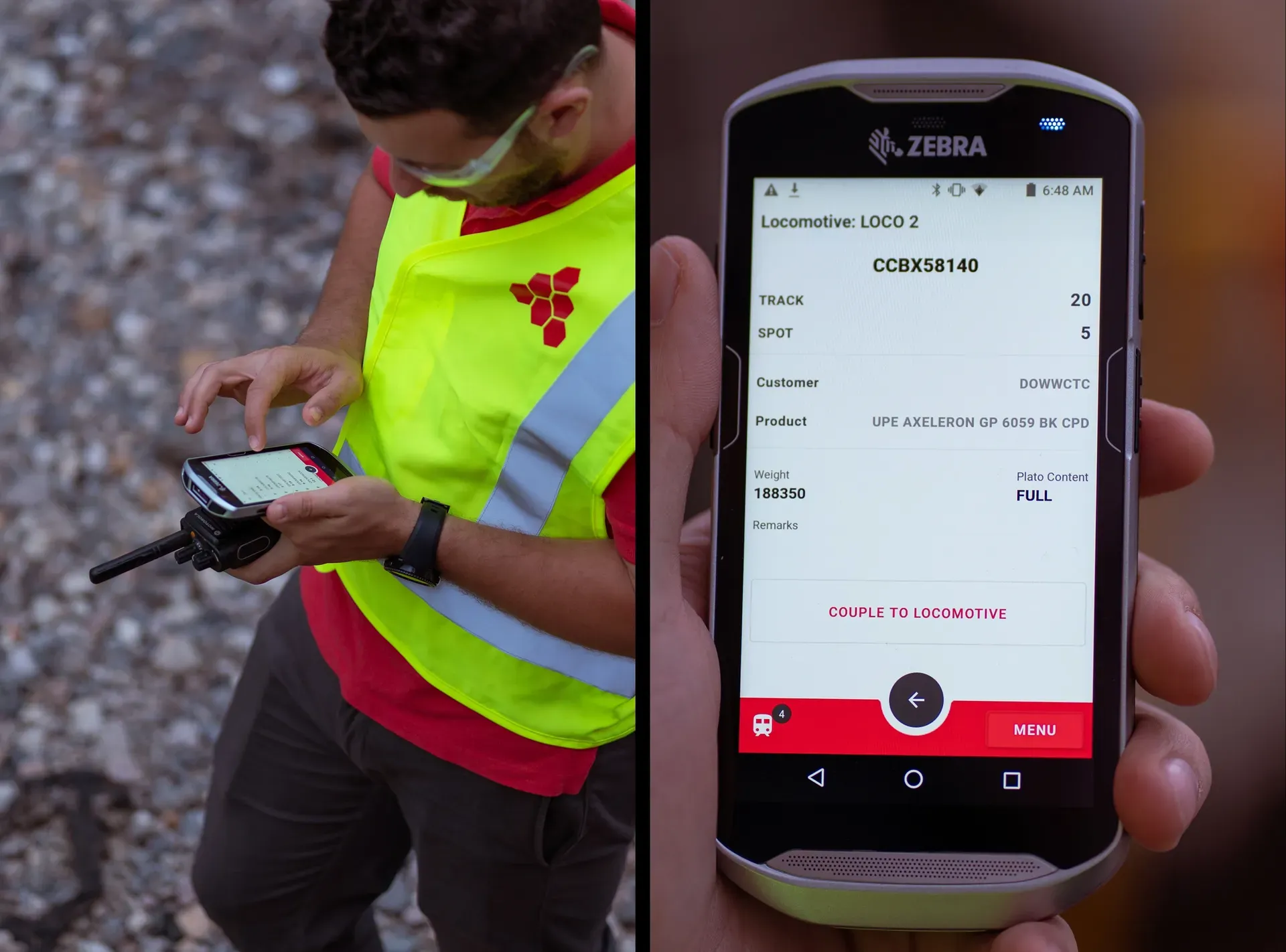
The mobile app is designed down rather than up. Big targets for gloved hands, high contrast so it survives daylight, and short paths, because nobody is going to navigate a hierarchy while standing next to a tank of petrochemical waste. Safety checklists live in the flow at the point the task happens rather than in a separate module, since a checklist you have to go somewhere else to find is a checklist that gets done afterwards from memory.

It works offline as the default assumption, not as a degraded mode. Everything an operator needs is on the device, actions are recorded locally, and sync happens when the yard gives them a signal back. The alternative is an app that stops working in the exact places it is most needed.

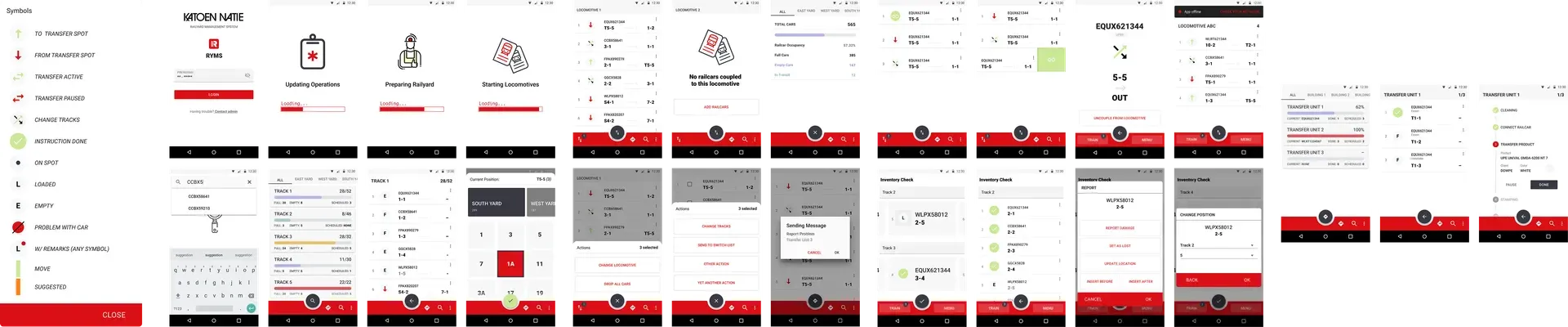
Login and loading screens of the mobile app

Login and loading screens of the mobile app.

Current operations mobile app interface

Current operations mobile app interface.

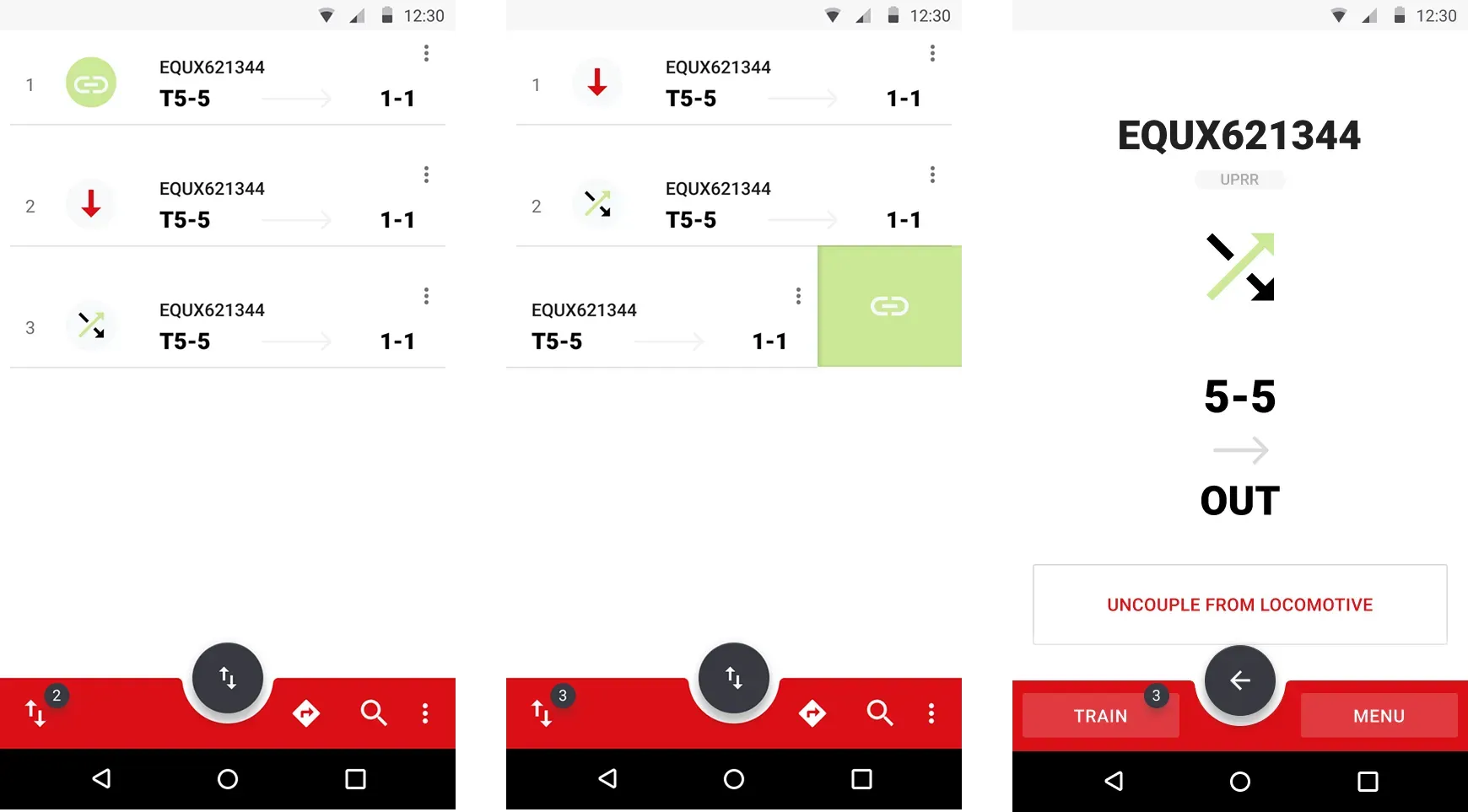
Operation instructions screen of the mobile app

Operation instructions screen of the mobile app.

Tracks and railcars information screens of the mobile app

Tracks and railcars information screens of the mobile app.

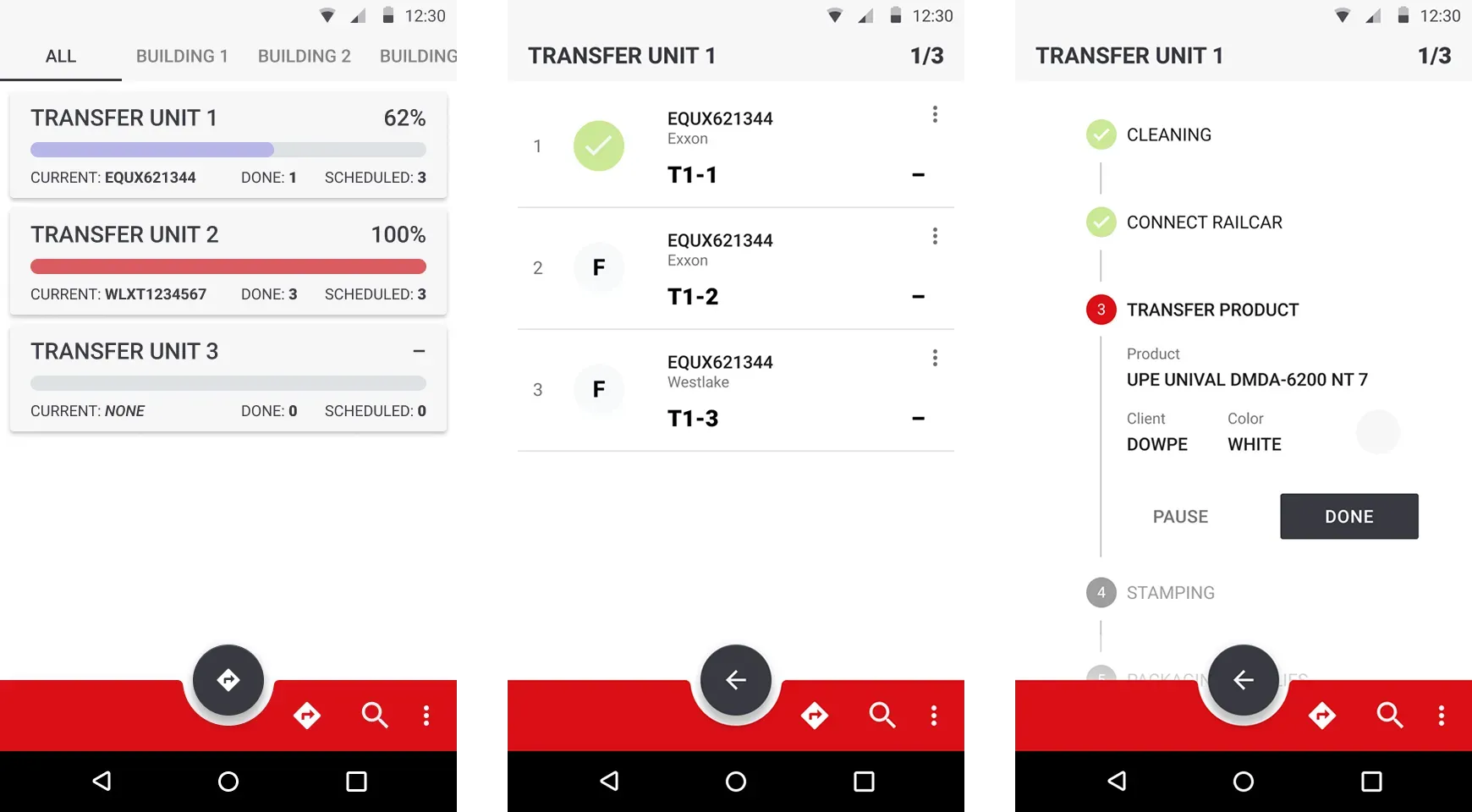
Transfer Unit information screens of the mobile app

Transfer Unit information screens.

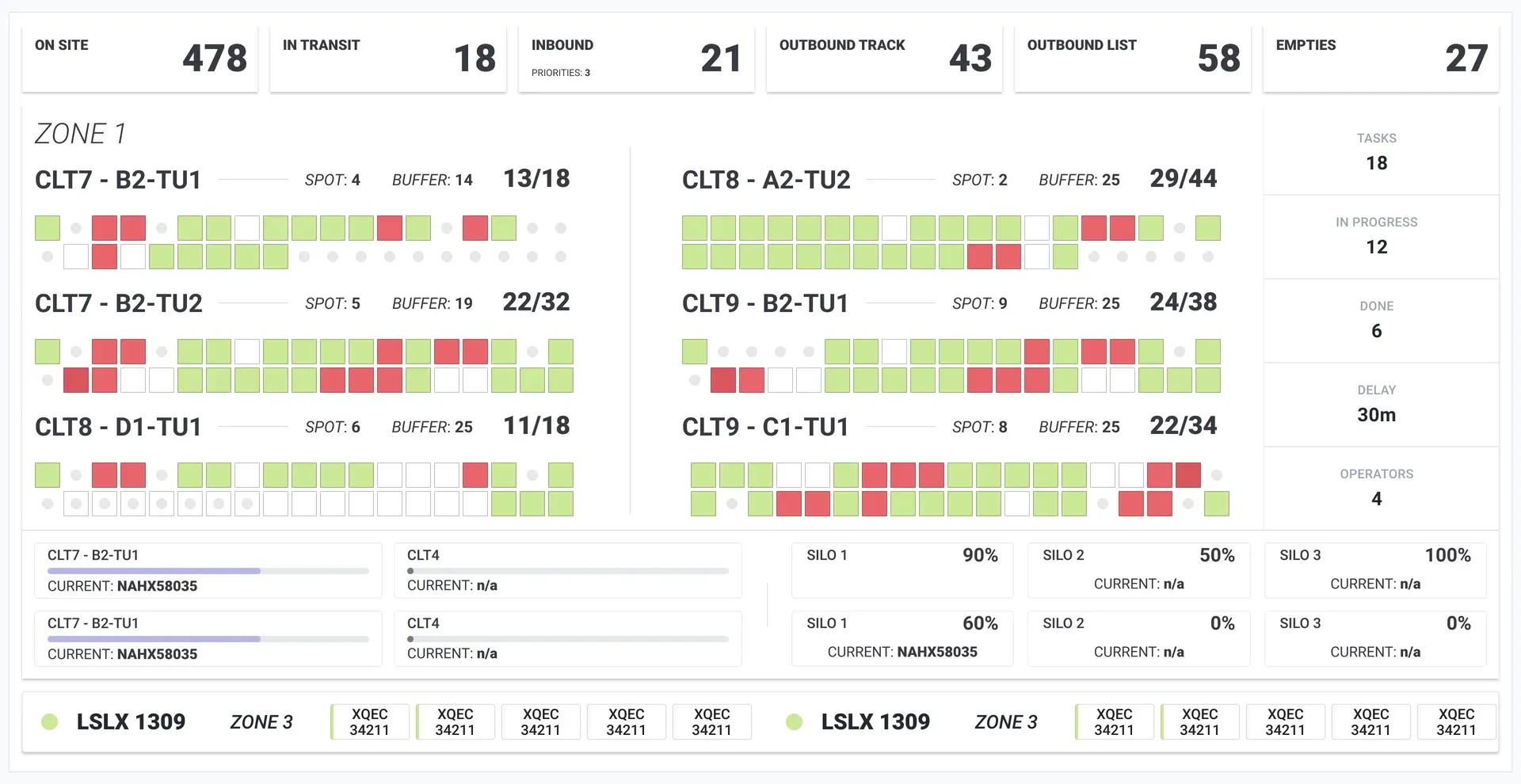
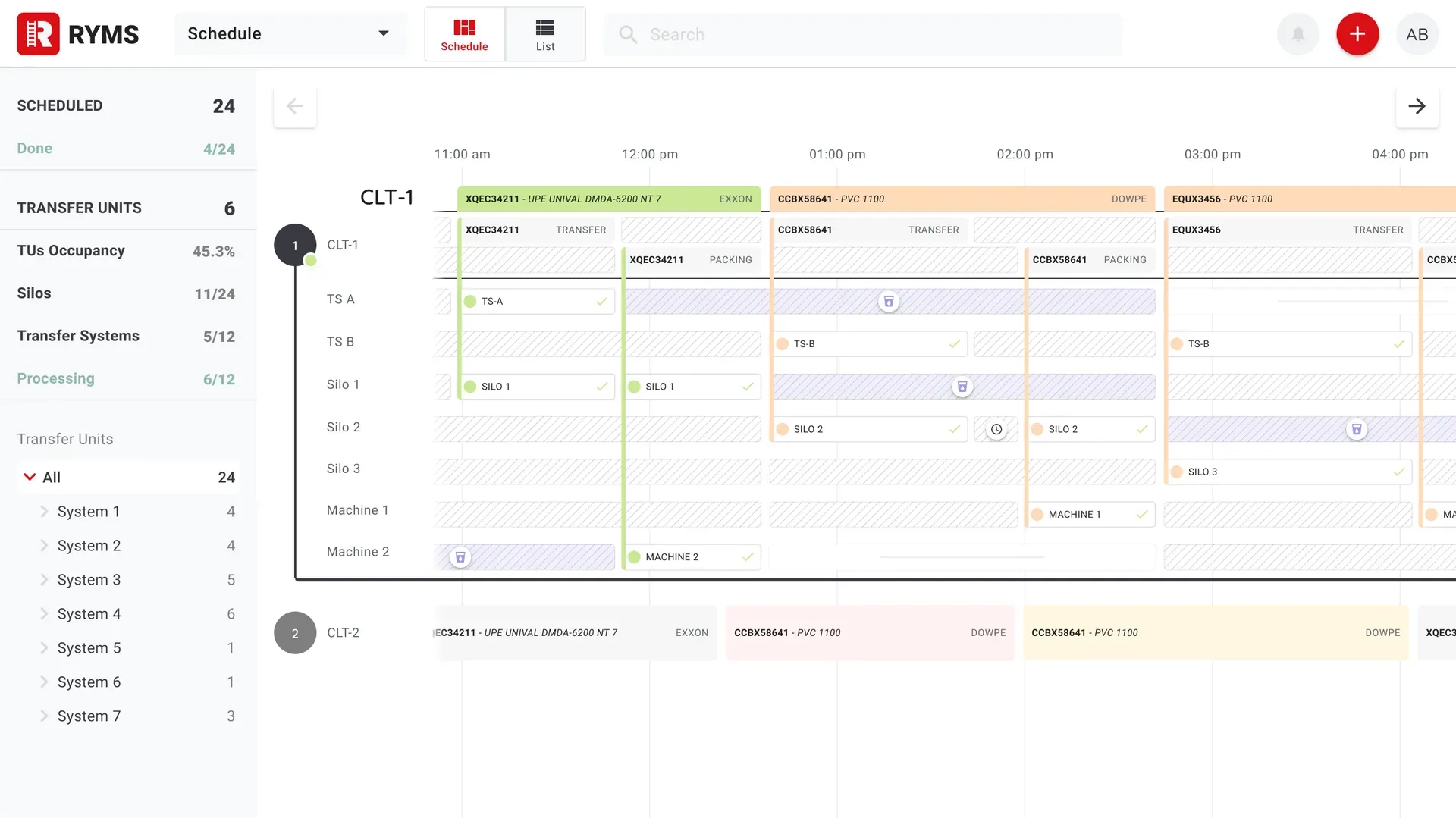
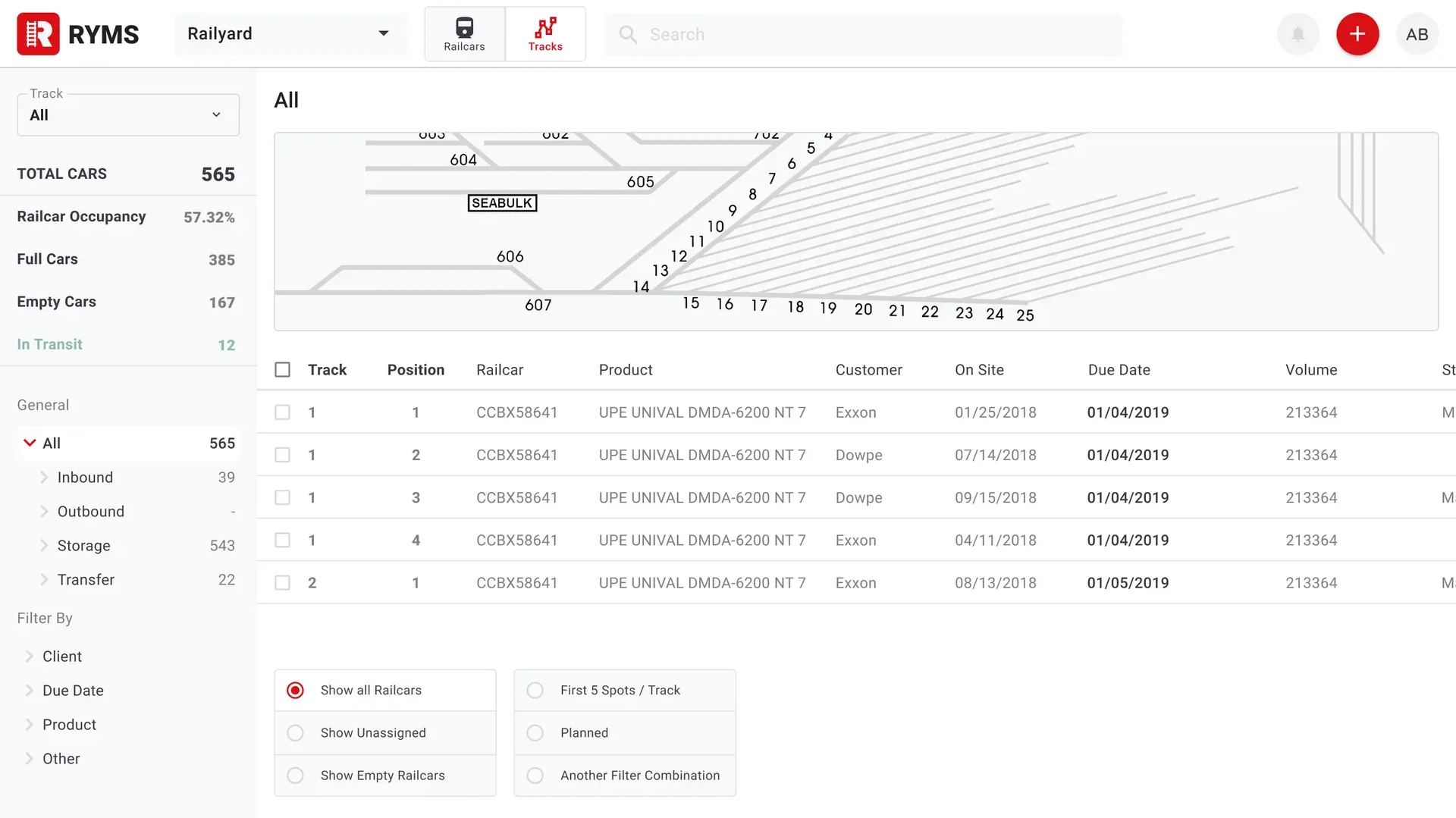
The desktop side is the printed plan, alive. A timeline of what is assigned to which track and which machine, a yard view of where every railcar physically is, and the ability to move something and have the yard know about it immediately rather than at the next shift handover. The screens that used to be printed out at the start of a shift became the thing everyone was looking at during it, including on displays mounted in the warehouses and silos so the plan is visible where the work is.
Scheduling interface showing railcar and machinery assignments
              over a timeline with railcar detail

Scheduling interface showing railcar and machinery assignments over a timeline with railcar detail.

Scheduling interface showing railcar and machinery assignments

Scheduling interface showing railcar and machinery assignments.

Railyard interface showing railcar locations and status across the yard

Railyard interface showing railcar locations and status across the yard.

Railyard interface showing railcar locations and status across a single track with railcar details

Railyard interface showing railcar locations and status across a single track with railcar details.

Testing it in the weather

There was no usability lab for this. Testing meant a pilot with a few operators under controlled conditions, then a gradual rollout across shifts, because a yard running around the clock is several different operating environments and the night shift is not the day shift with the lights off.

Most of what came back was about robustness rather than usability in the normal sense. What happens when the sync fails halfway. What the screen does when someone walks from a dark warehouse into full sun. Whether a number on the desktop can be trusted when the device that reported it has been offline for an hour. Industrial software is mostly a set of answers to questions like those, and you cannot invent the questions from a desk.

Photo of a field operator holding a paper plan with railcar and silo information

Photo of a field operator holding a paper plan with railcar and silo information.

Photo of a field operator using the mobile app to track railcars and machinery

Photo of a field operator using the mobile app to track railcars and machinery.

The operators were the best source of correction I had, and the least likely to volunteer anything unless asked directly. Almost every meaningful change to the mobile app came from someone mentioning, in passing, something they had already worked around three times without thinking to report it.


Dashboard interface for Transfer Units status and scheduling

Dashboard interface for Transfer Units status and scheduling.

Schedule dashboard interface for TVs installed in warehouses and silos

Schedule dashboard interface for TVs installed in warehouses and silos, by zones.

Dashboard interface for TVs installed in administrative zones

Status dashboard interface for TVs installed in administrative zones.

What changed

The paper went away. That sounds small and it is the whole thing: the yard's state stopped living on printouts and in people's heads and started living somewhere both crews could see it. The shift handover became reading a screen instead of reconstructing a day from a sheet and a conversation, and the compliance record became a byproduct of doing the work rather than an exercise in remembering it afterwards.

I do not have verified numbers for the improvement and I am not going to put an unsourced percentage on this page. What I can say is what shipped and stayed: a mobile app the operators use outside in the weather, a scheduling and yard system the managers run the day from, and displays through the warehouses showing the same plan to everyone at once.


Management interface of the mobile app showing tracks, railcar, product and silo information

Management interface of the mobile app showing tracks, railcar, product and silo information.

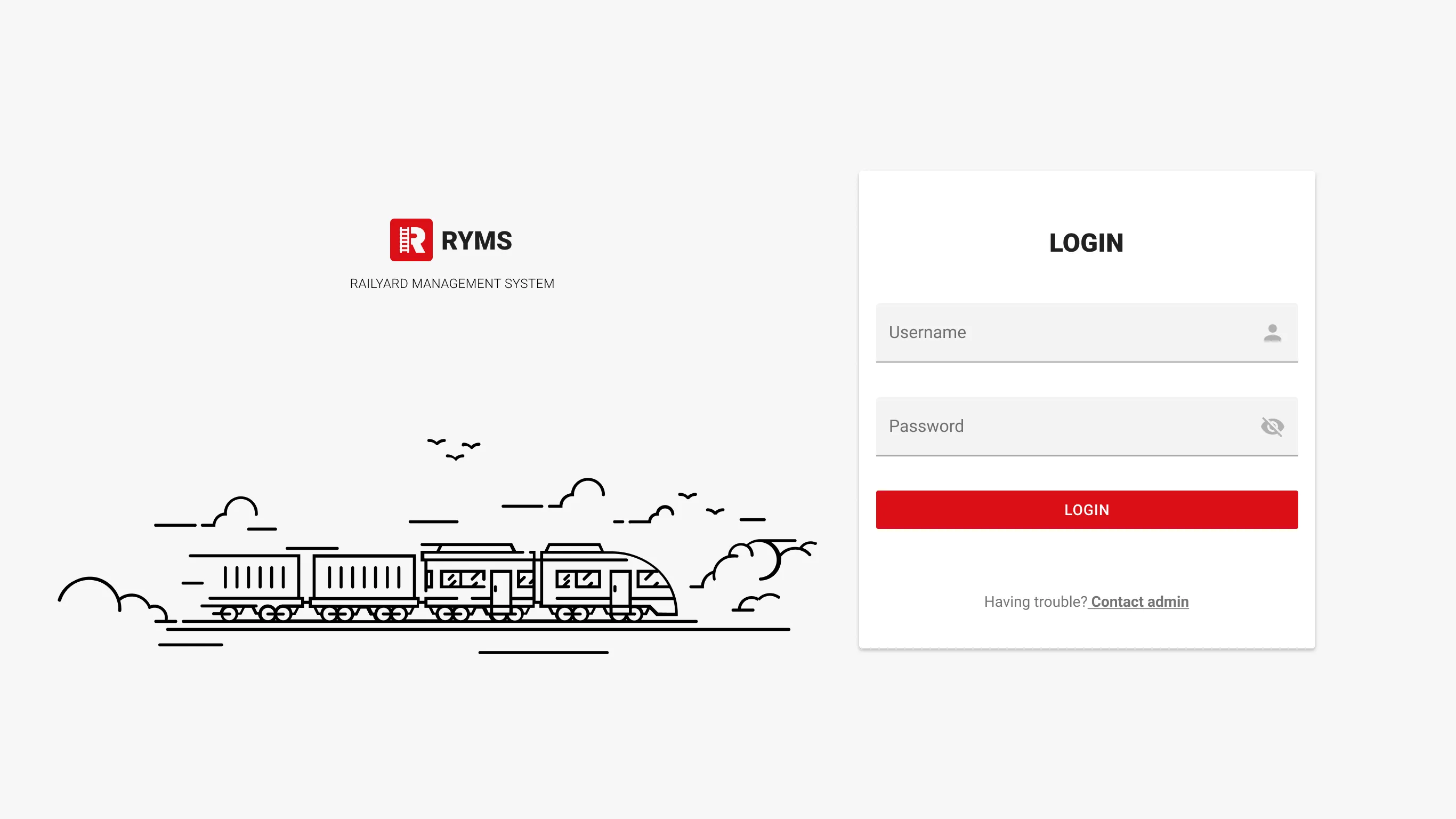
Login screen of the desktop application with custom illustration

Login screen of the desktop application with custom illustration.

Management interface showing railcar and silo information

Management interface showing railcar and silo information.

Nothing here came from a workshop

This is the project I bring up when someone proposes designing an operational tool without going to where it will be used. Gloves, sunlight, dead spots in the yard, a printout that is wrong by ten in the morning. All of it was obvious within an hour of standing there and invisible from anywhere else.

It is also where I learned that replacing paper is mostly an act of respect. That paper worked. It had been refined by people who do this every day, and anything replacing it had to be better on their terms, in their conditions, before it was allowed to be better on a dashboard.


Clevertech | 2018-2019