Uwazi ML
Uwazi learned to read its own documents. Every suggestion is something a researcher can accept or reject.
- When2022
- ForHuridocs
- RoleLead UX/UI Designer
- TeamCTO, 2 ML specialists, 6 engineers
- Timeline24 months
- ToolsMindNode, Figma, Miro, document analysis tools
The pile
A human rights case arrives as paper: court filings, testimony, government responses, scanned letters. To be useful in Uwazi it has to become structured data, and somebody has to read every page and type it in. Organizations with far more documents than staff could not afford extraction scripts, so the archive was always behind the cases that needed it.
Information Extraction and Paragraph Extraction let a researcher train a model on their own documents and pull fields out of thousands of PDFs without writing code. I designed the part people touch: teaching the model what to look for, and deciding what to do with what it found.
Designing for disagreement
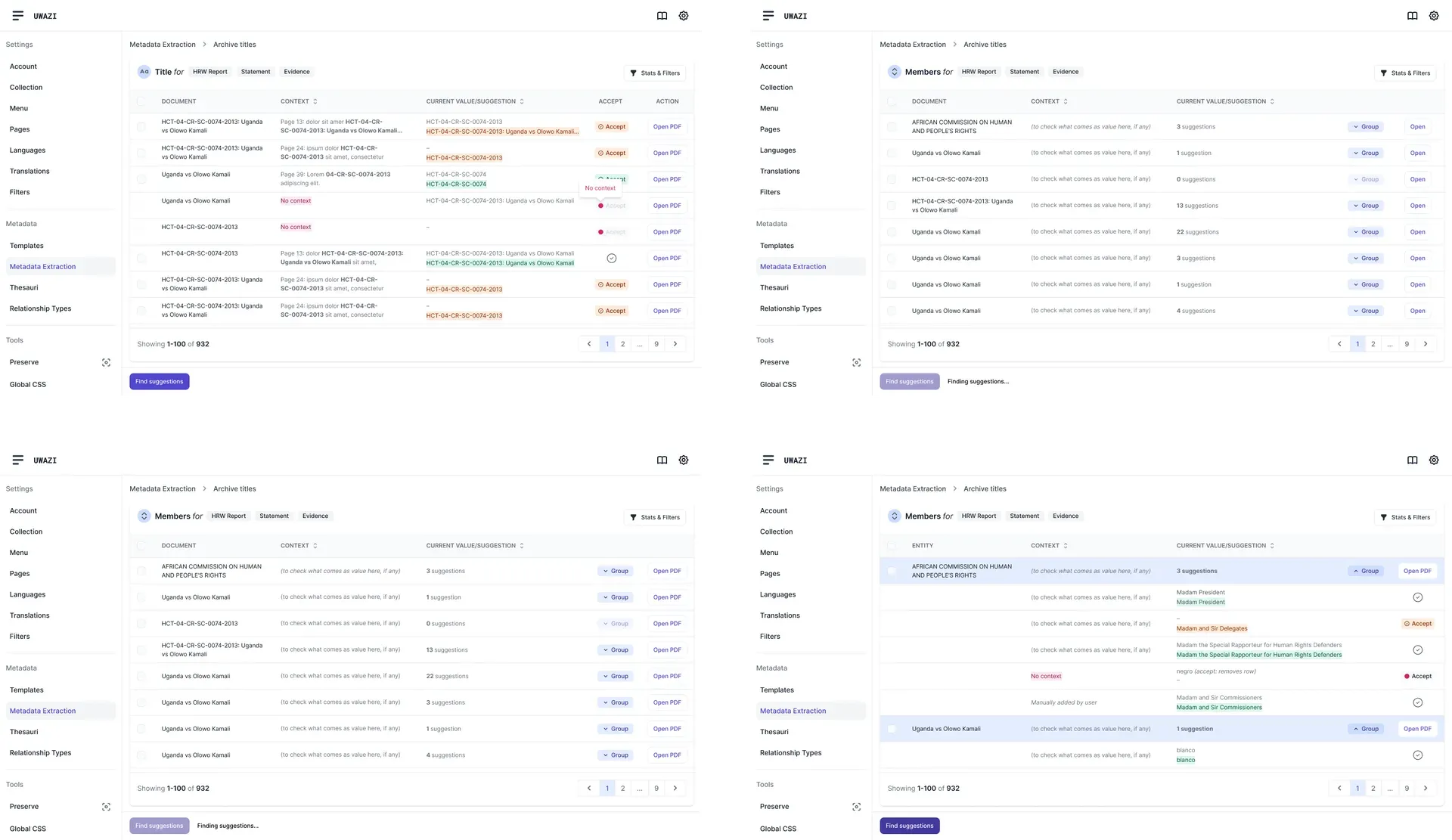
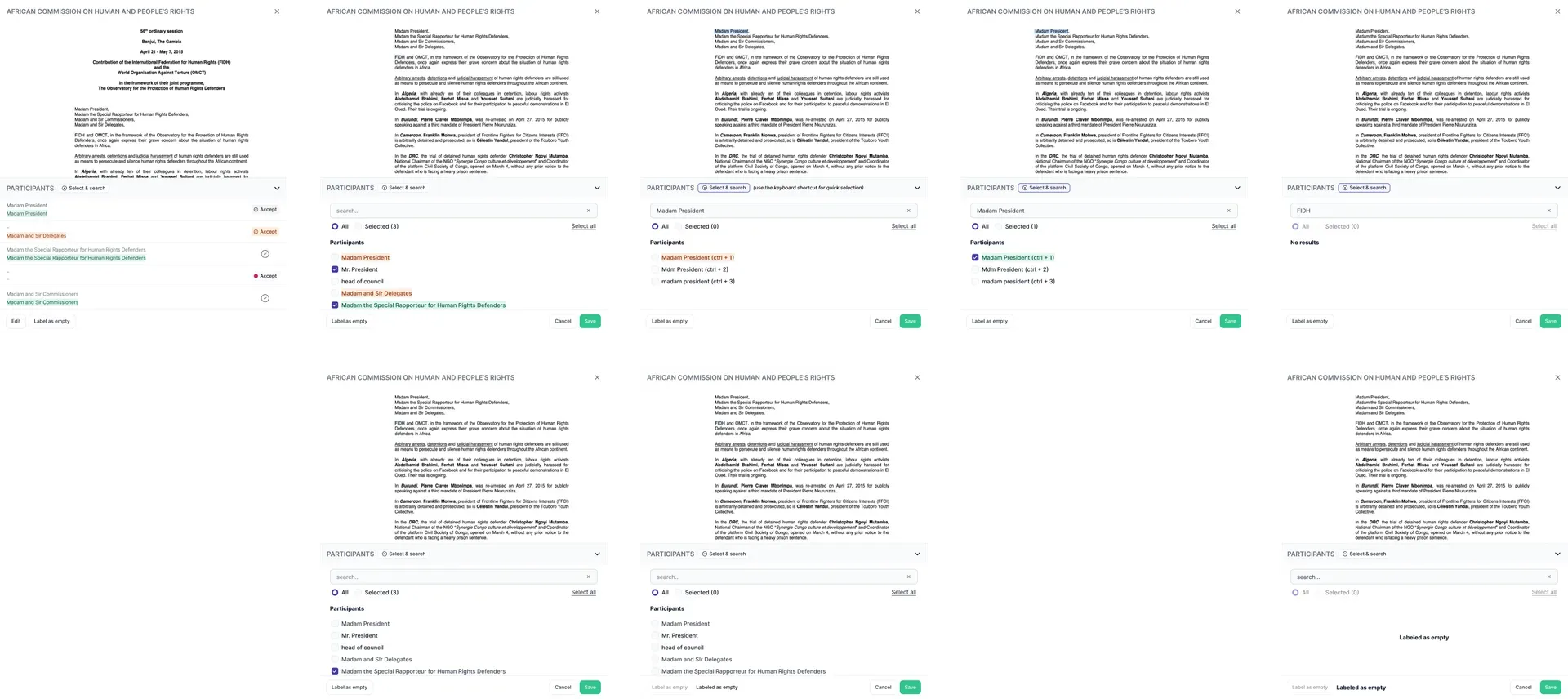
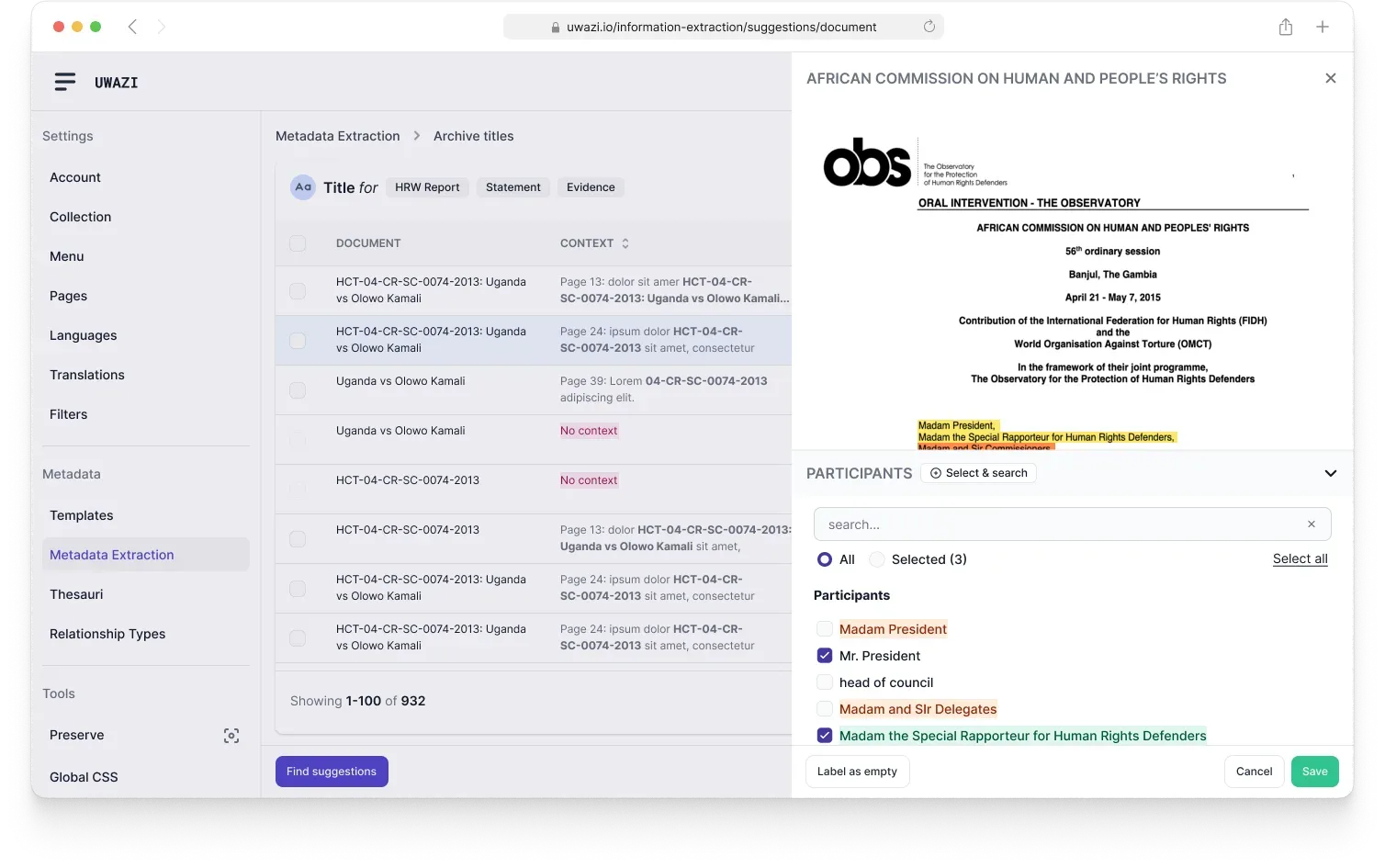
Accuracy was never the design problem; trust was. An archive that quietly fills itself with plausible wrong values is worse than an empty one, and a wrong date on a filing can sink a case. So every suggestion shows its page with the passage highlighted in place, nothing is written on the model’s say-so, and a researcher accepts, corrects, or throws it out. The correction is what the model learns from next.
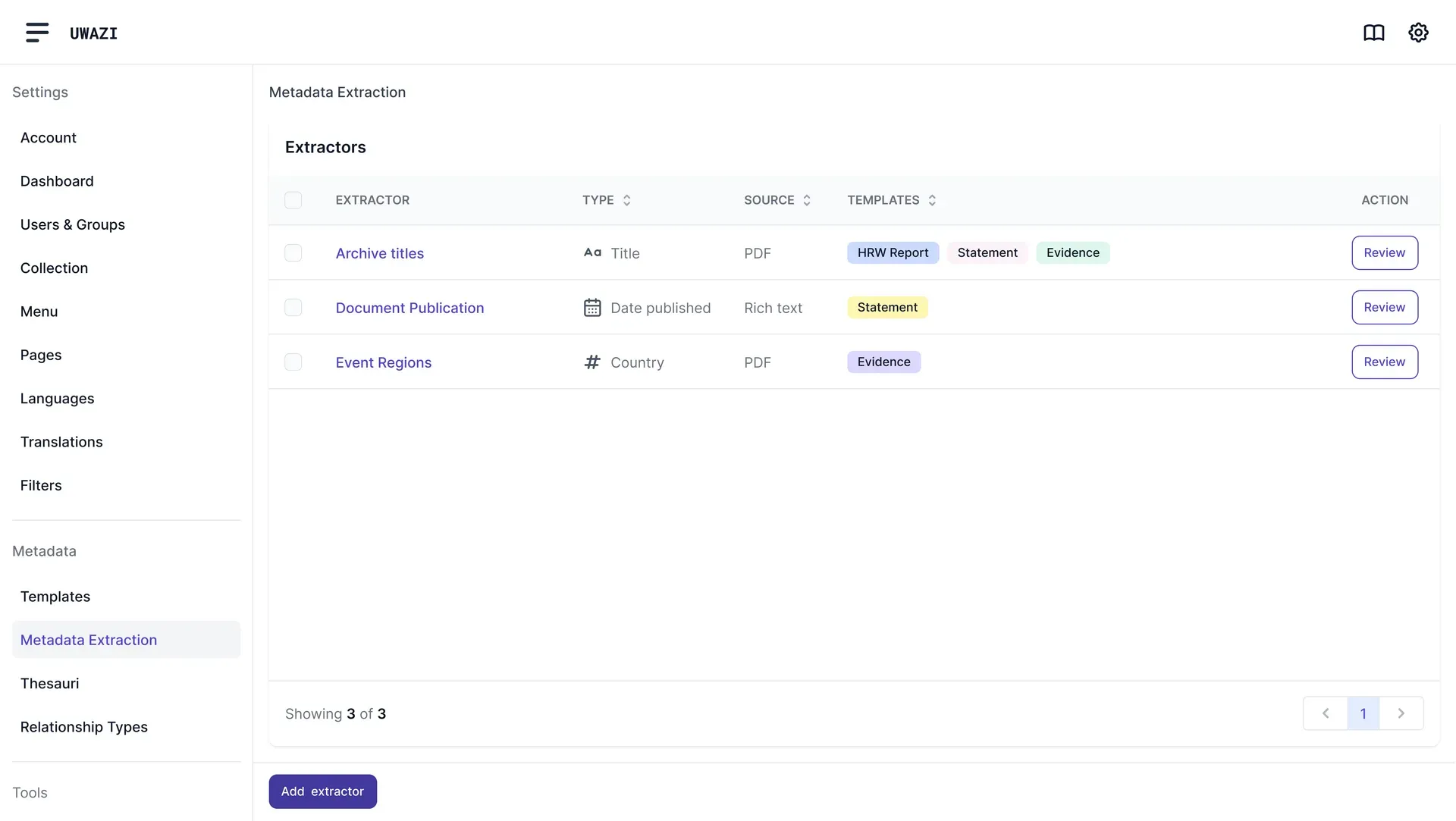
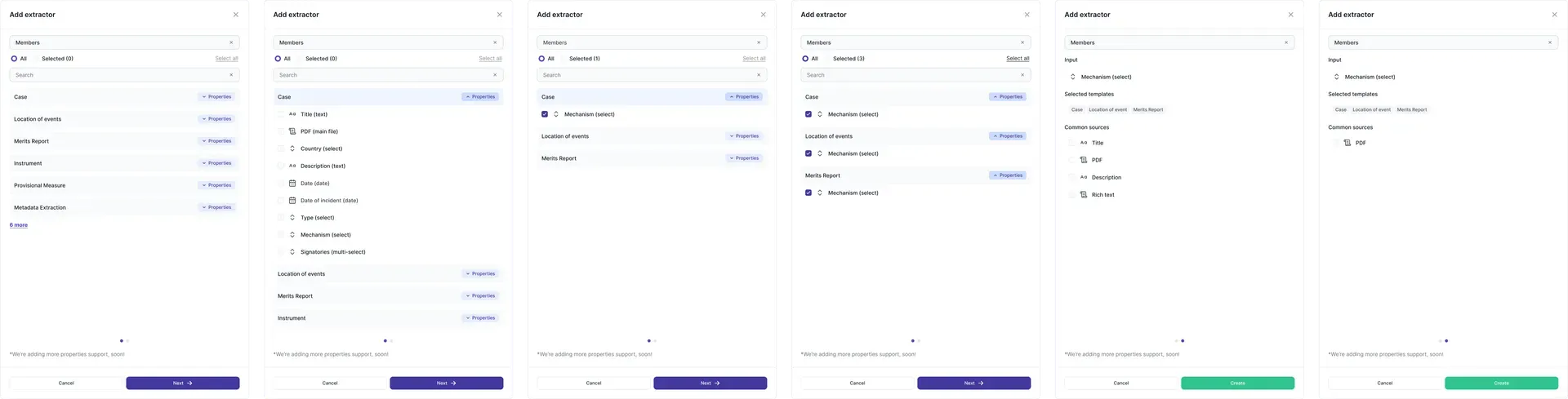
A researcher sets up an extractor by pointing at the property they want filled and labelling a handful of documents by hand. No model selection, no parameters: the labelling is work they already did, and now it is also the training data.
Two extractors
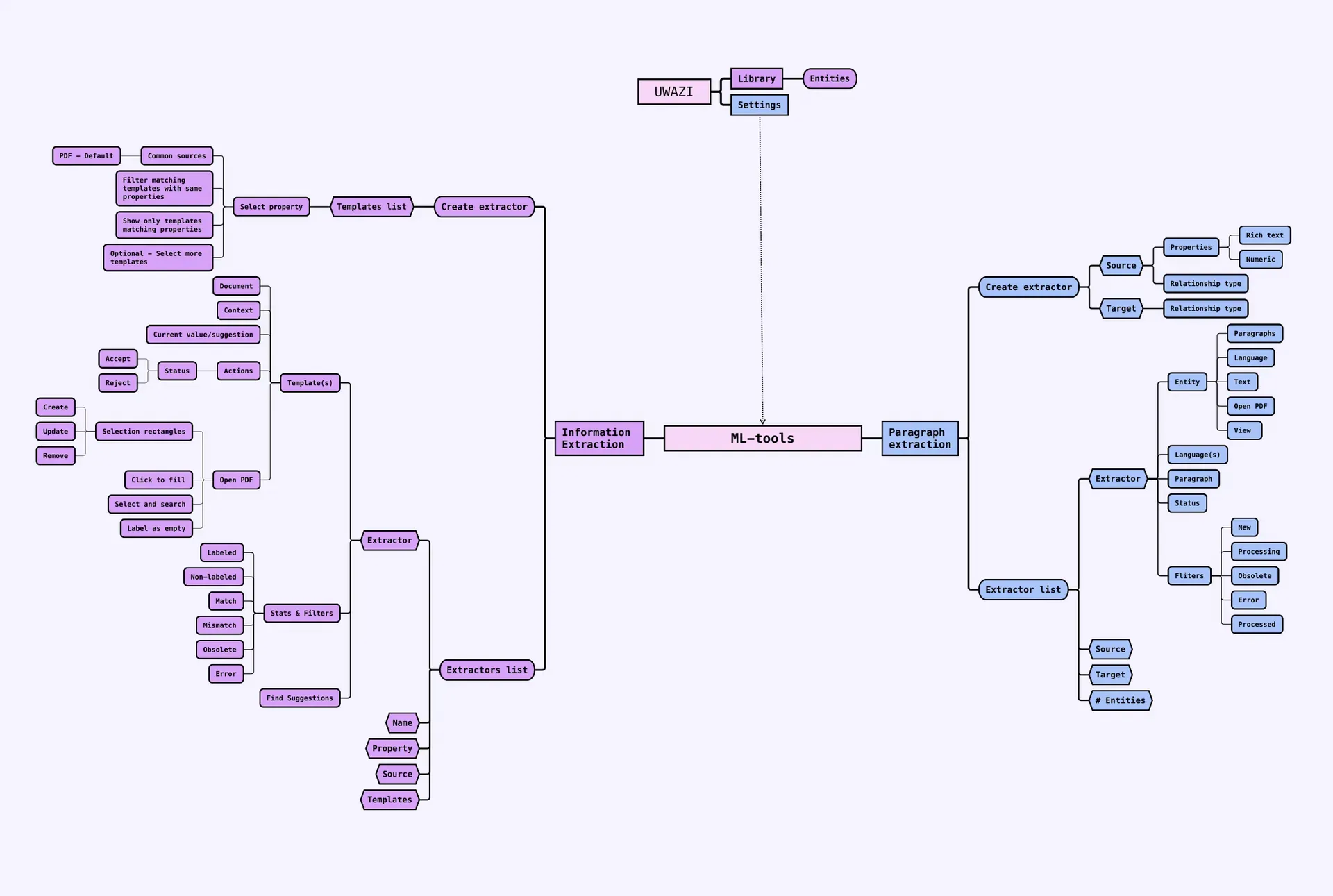
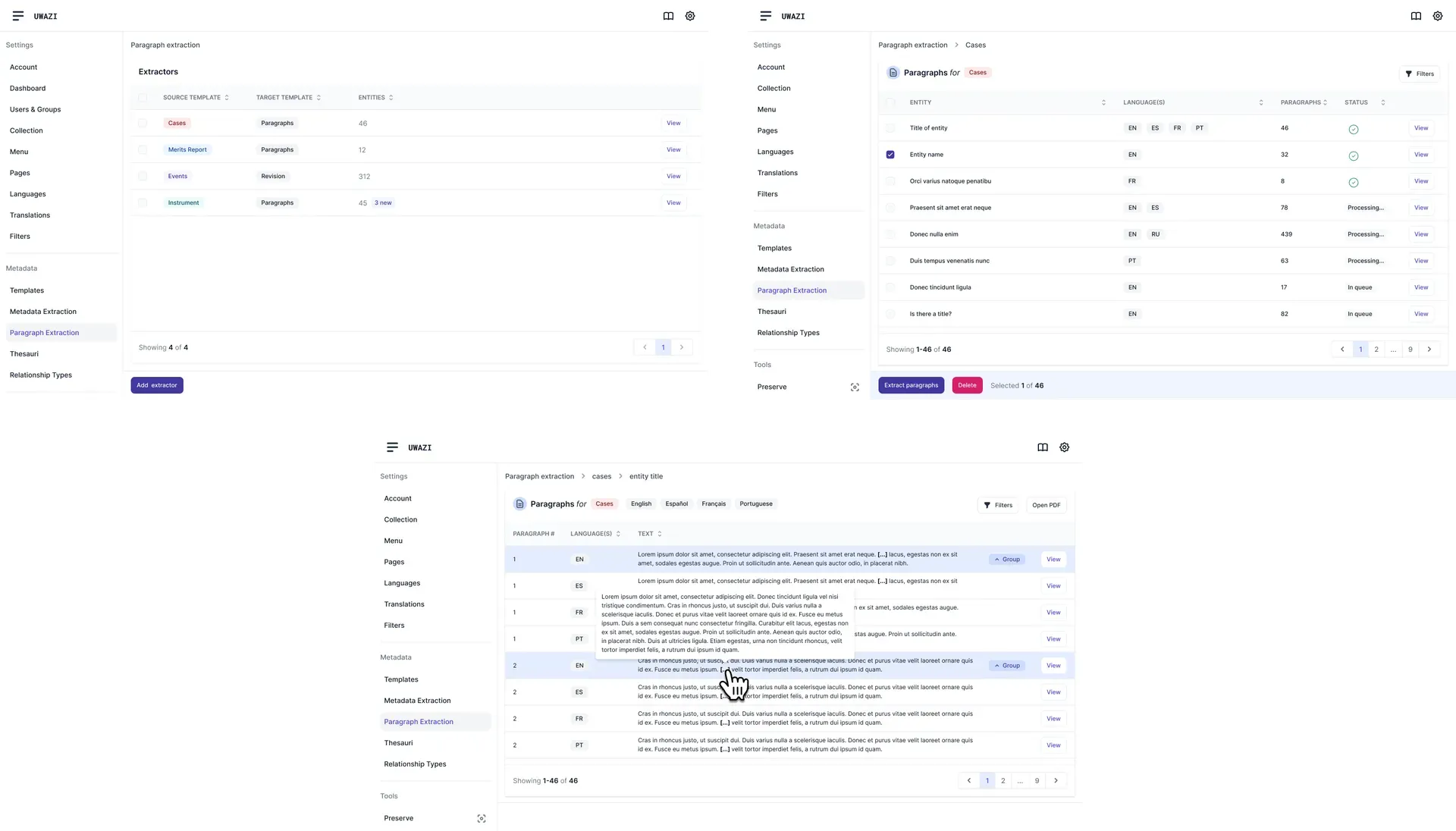
There are two shapes of question people ask a pile of documents. Information Extraction pulls a value into a field: a date, a court, a name. Paragraph Extraction pulls a passage out and keeps it whole, for when you need a paragraph of testimony rather than a value.
There was no usability lab. Features went out to real installations in small pieces, and the feedback came back as bug reports from people with live cases open: slower to read than a test session, and harder to argue with.

picture The suggestion interfaces, before and after.
The AI suggestion interfaces, before and after.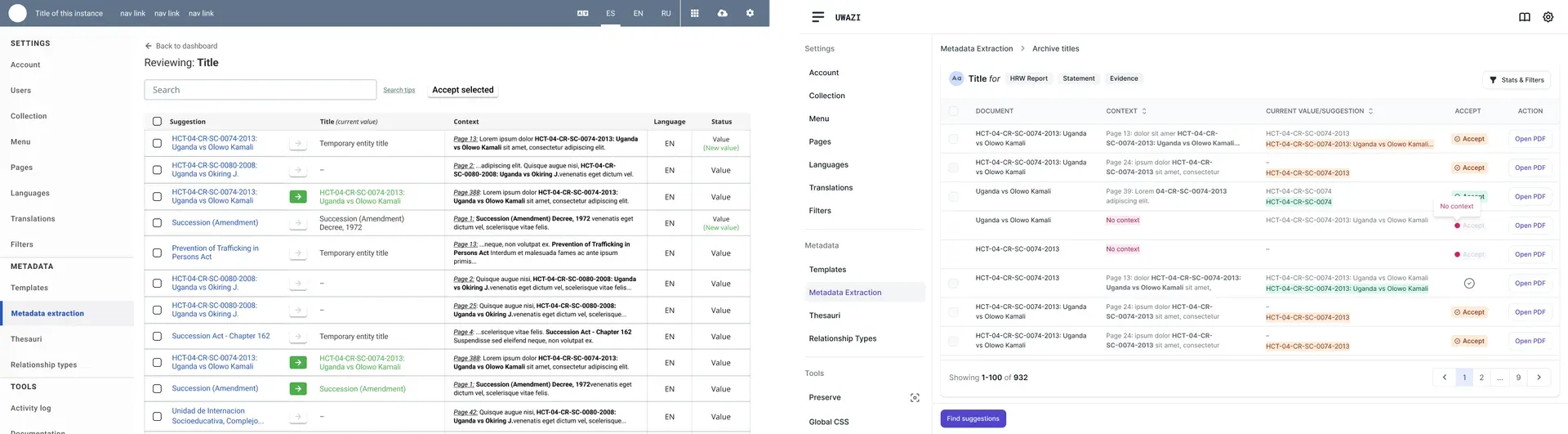
In use
Both features are in Uwazi today. Researchers with no technical background train their own extractors on their own documents, which was the whole bet. The lesson I keep: the work in an ML feature is the few screens where a person decides whether to believe it, and design for their expertise, not their tooling.
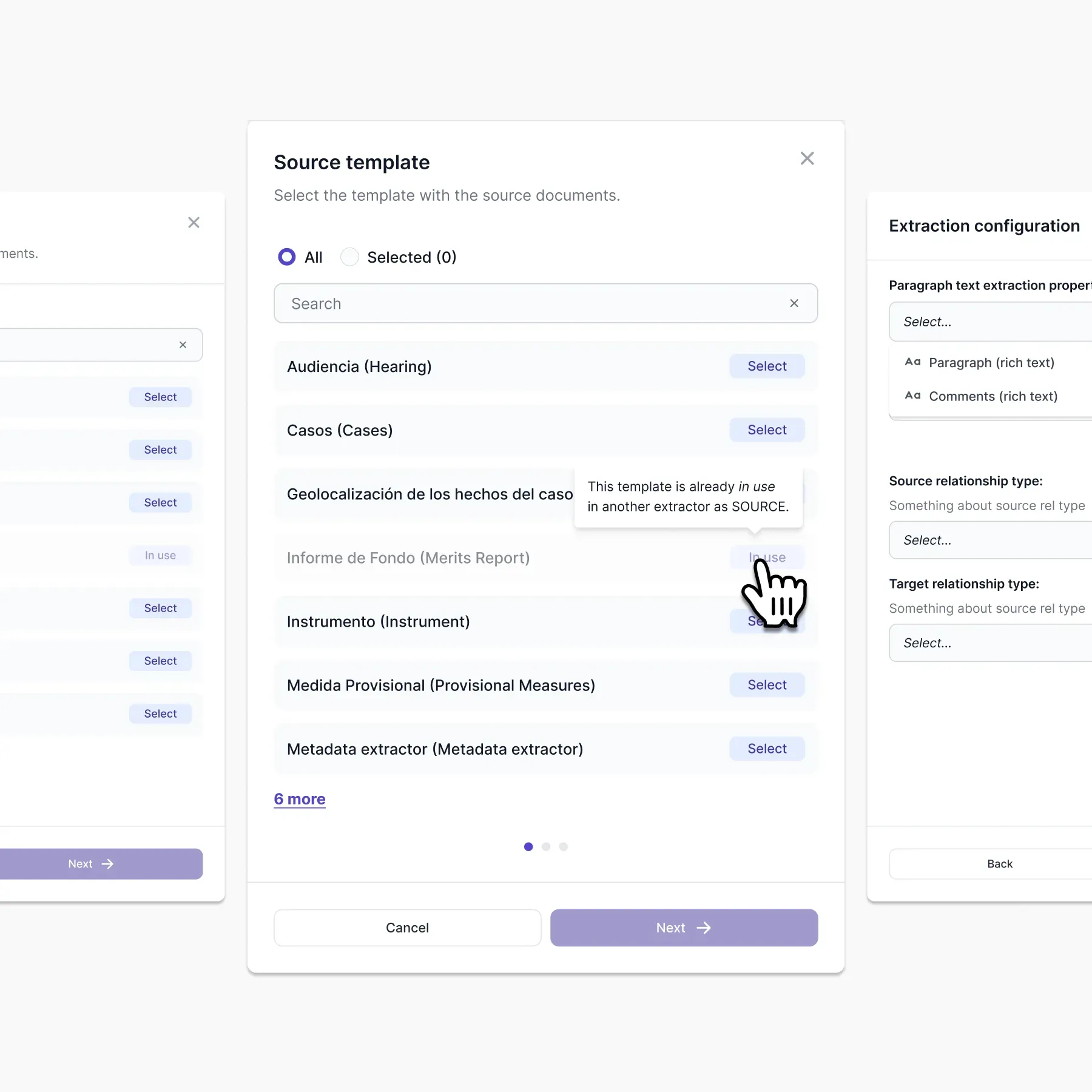
picture Choosing the source template for a paragraph extractor.
The source template selection modal for paragraph extraction.