Uwazi: the machine reads, the researcher decides

I led design on Uwazi at Huridocs from 2021 to 2025. Uwazi is the open-source documentation platform used by 150+ human rights organizations worldwide, and this is the stretch where it learned to read. Information Extraction and Paragraph Extraction let a researcher train a model on their own documents and pull structured fields out of thousands of PDFs without writing code or hiring anyone technical. I designed the part people actually touch: teaching the model what to look for, and deciding what to do with what it found.

Role
Lead UX/UI Designer
Team
CTO, 2 ML Specialists, 6 Engineers
Timeline
24 months
Tools
MindNode, Figma, Miro, Document analysis tools

Drowning in PDFs

A human rights case arrives as paper. Court filings, witness testimony, government responses, press clippings, scanned letters. To be useful in Uwazi it has to become structured data: this document is about this person, on this date, in this jurisdiction. Somebody has to read every page and type that in.

An organization with far more documents than staff had two options and both were bad. Hire someone technical to write extraction scripts, which almost none of them could afford. Or read everything by hand, which meant the archive was always behind the work it was supposed to support. The documents piled up faster than anyone could process them, and the cases that needed them were the time-sensitive ones.

Person's hand highlighting text in a document

Manual highlighting of relevant information in a document.

The model is not the product

I did not start with field research. After a year on Uwazi I already knew how these organizations worked, and the open question was not what they needed. It was what the two ML specialists on the team could actually deliver, and what a researcher would be willing to trust.

Because accuracy was never the design problem. The engineers could already pull a date or a name off a page well enough to be useful. What did not exist was any reason for a researcher to believe a given answer, or any way to disagree with it. An archive that quietly fills itself with plausible wrong values is worse than an empty one, and in this field a wrong date on a filing is not a typo, it is a case falling apart.

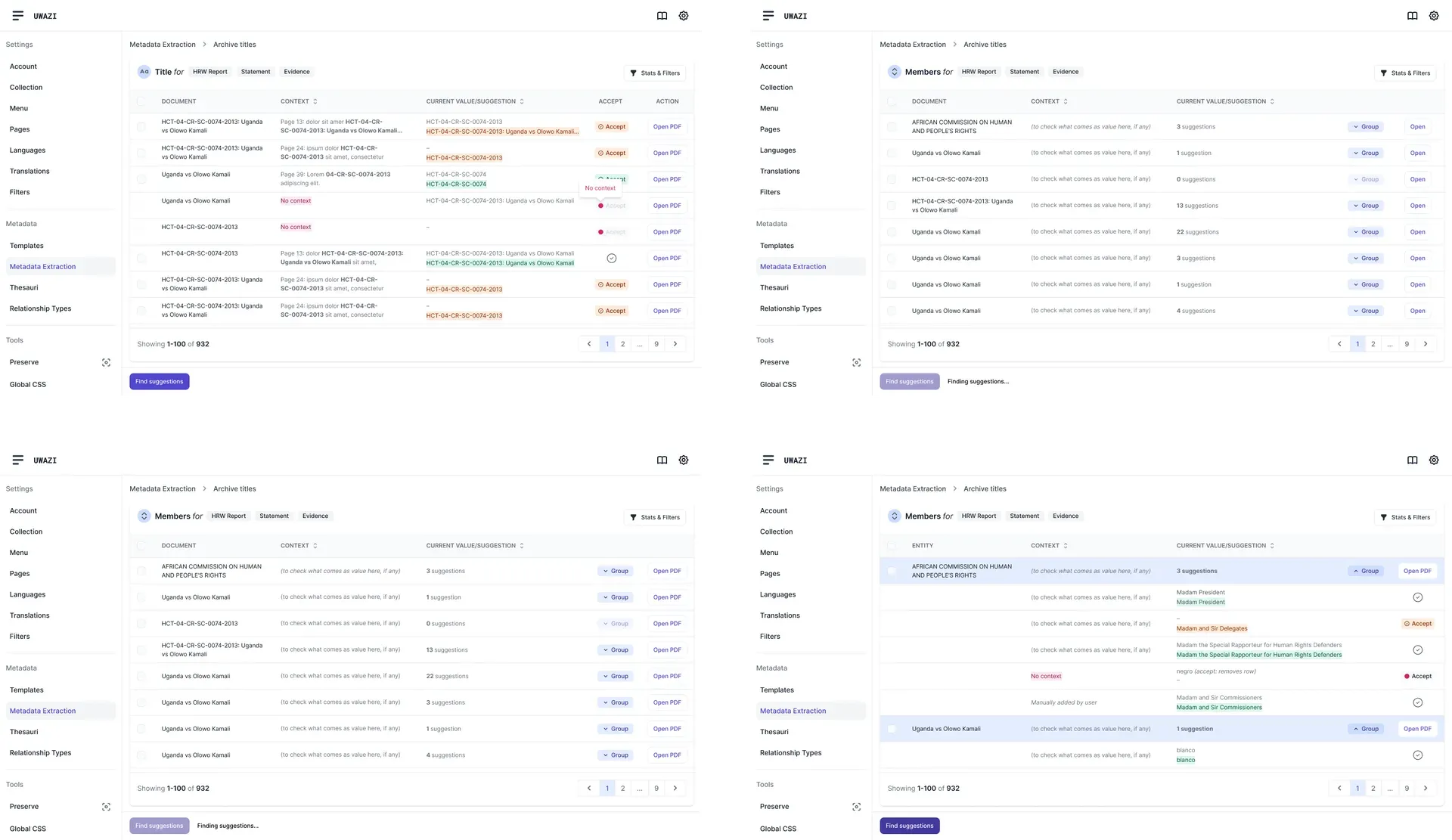
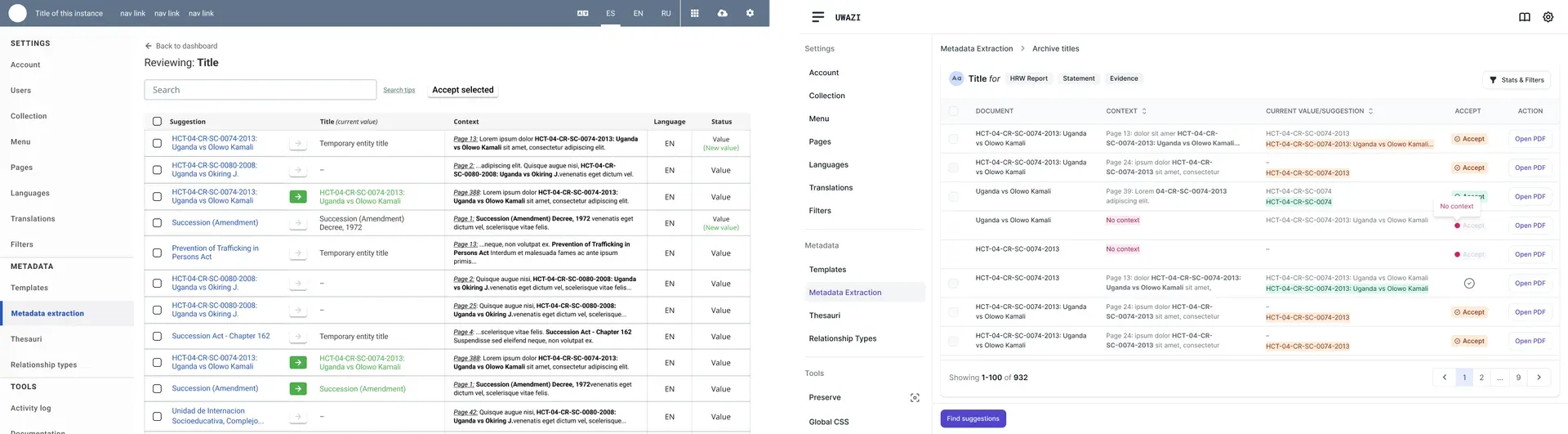
So I designed around the disagreement rather than the extraction. Every suggestion shows the page it came from with the passage highlighted in place. Nothing is ever written into the database on the model's say-so. A researcher accepts, corrects, or throws it out, and the correction is what the model learns from next.

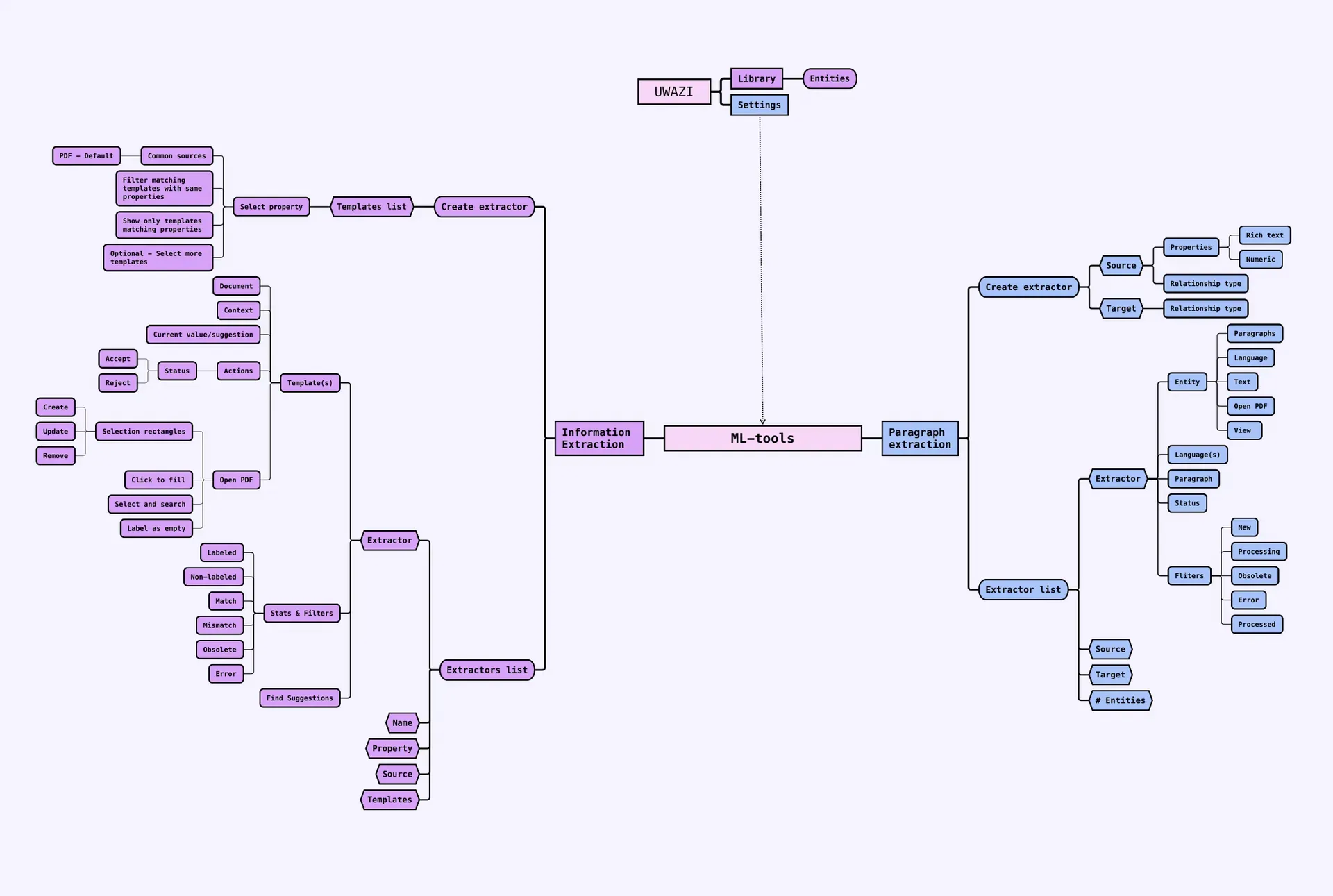
Information extraction and paragraph extraction workflow

Information extraction and paragraph extraction workflow.

A researcher sets up an extractor by pointing at the property they want filled and labelling a handful of documents by hand. That is the whole setup. No model selection, no training parameters, no vocabulary they would have to learn first. The labelling they do is work they were already doing, and it is now also the training data.

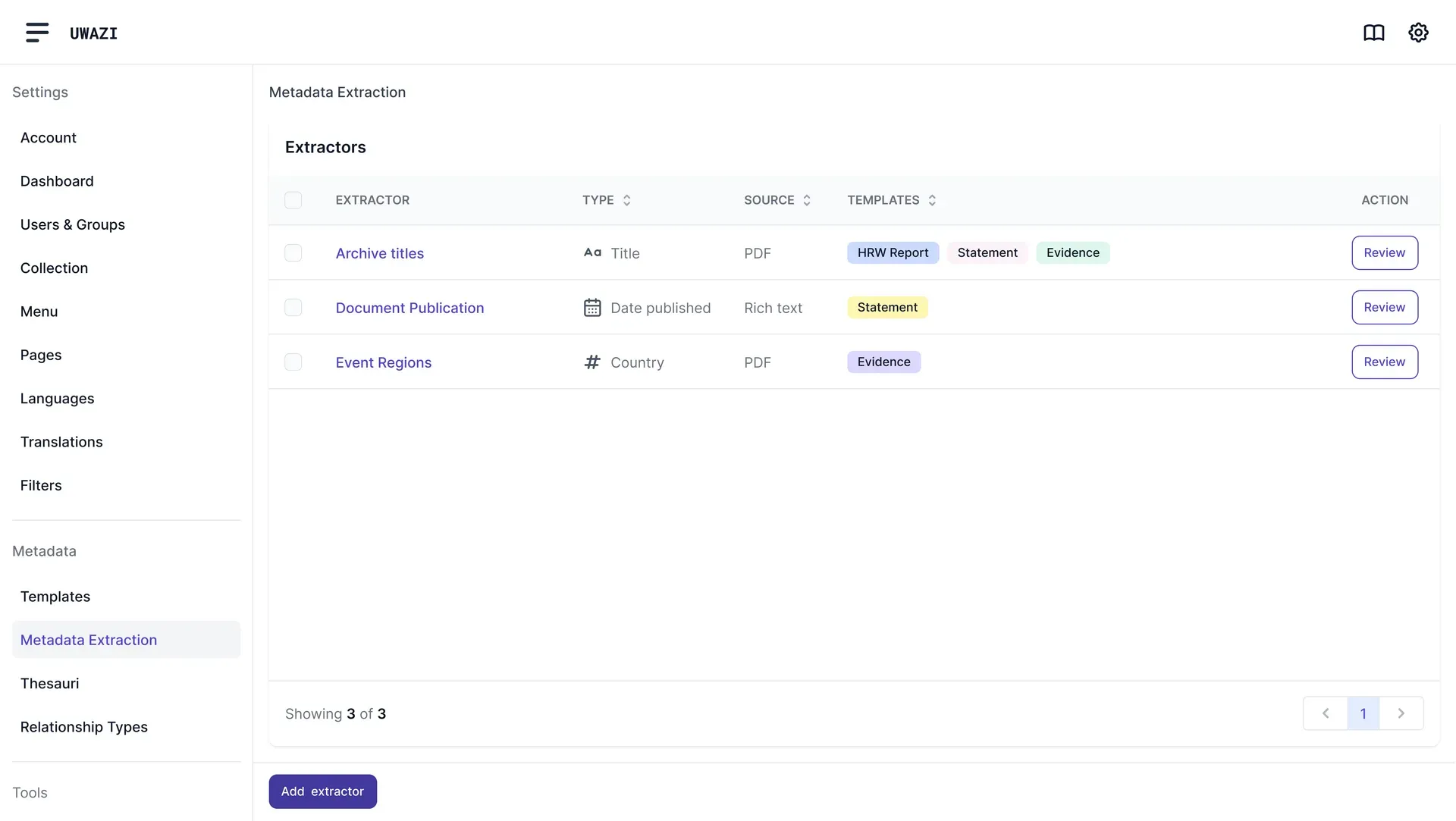
Information extraction dashboard mockup

Information extraction dashboard mockup.

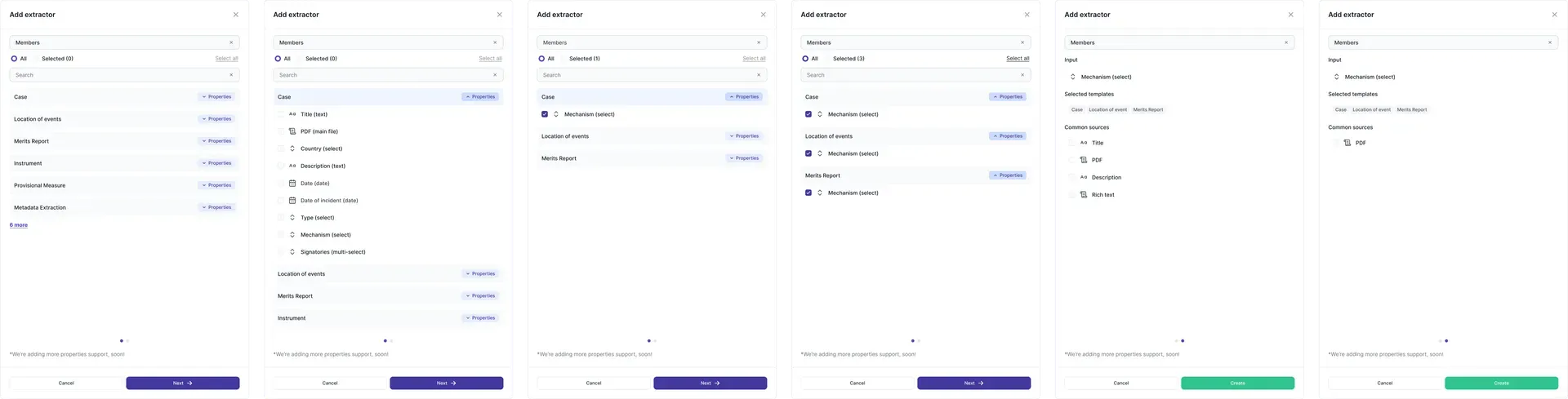
IX modal interface to configure an information extraction model

IX modal interface to configure an information extraction model.

IX extractor interface with AI suggestions and user controls

IX extractor interface with AI suggestions and user controls.

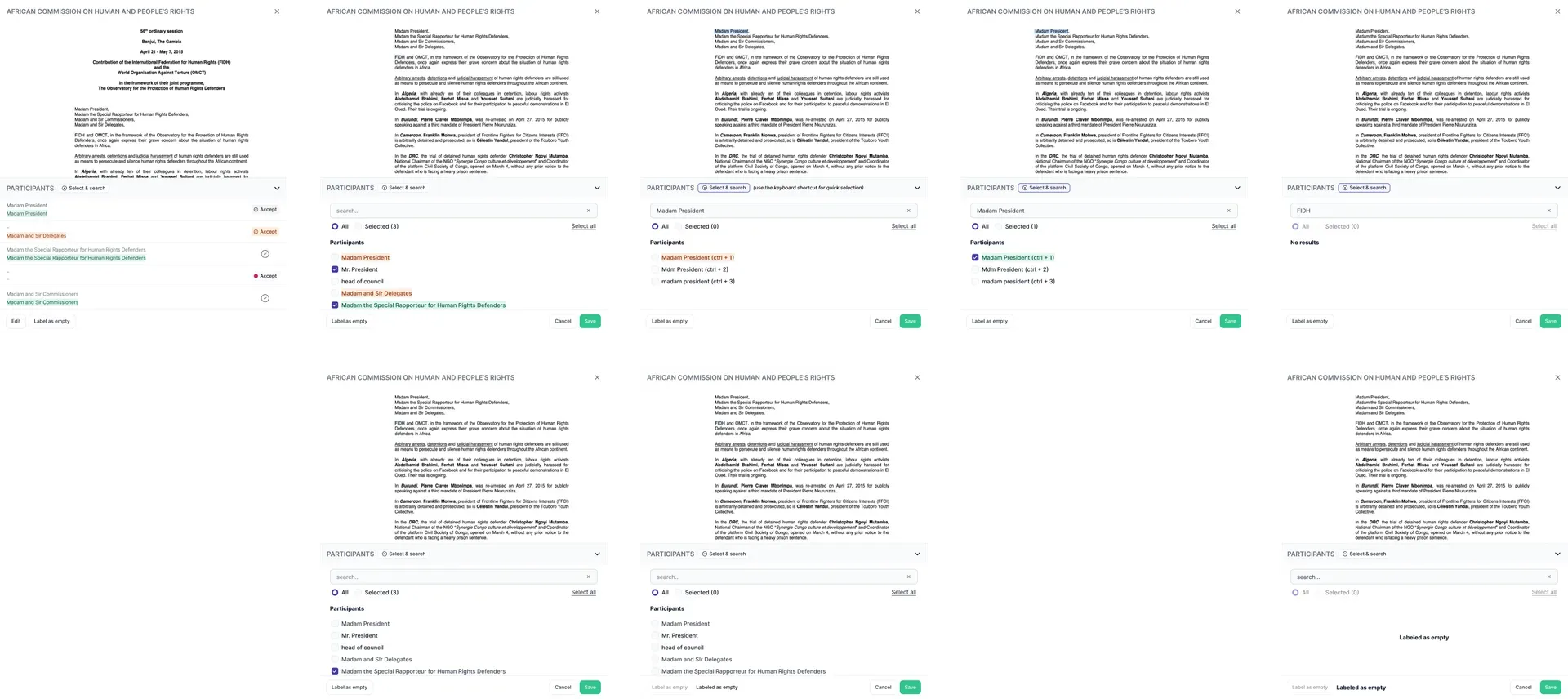
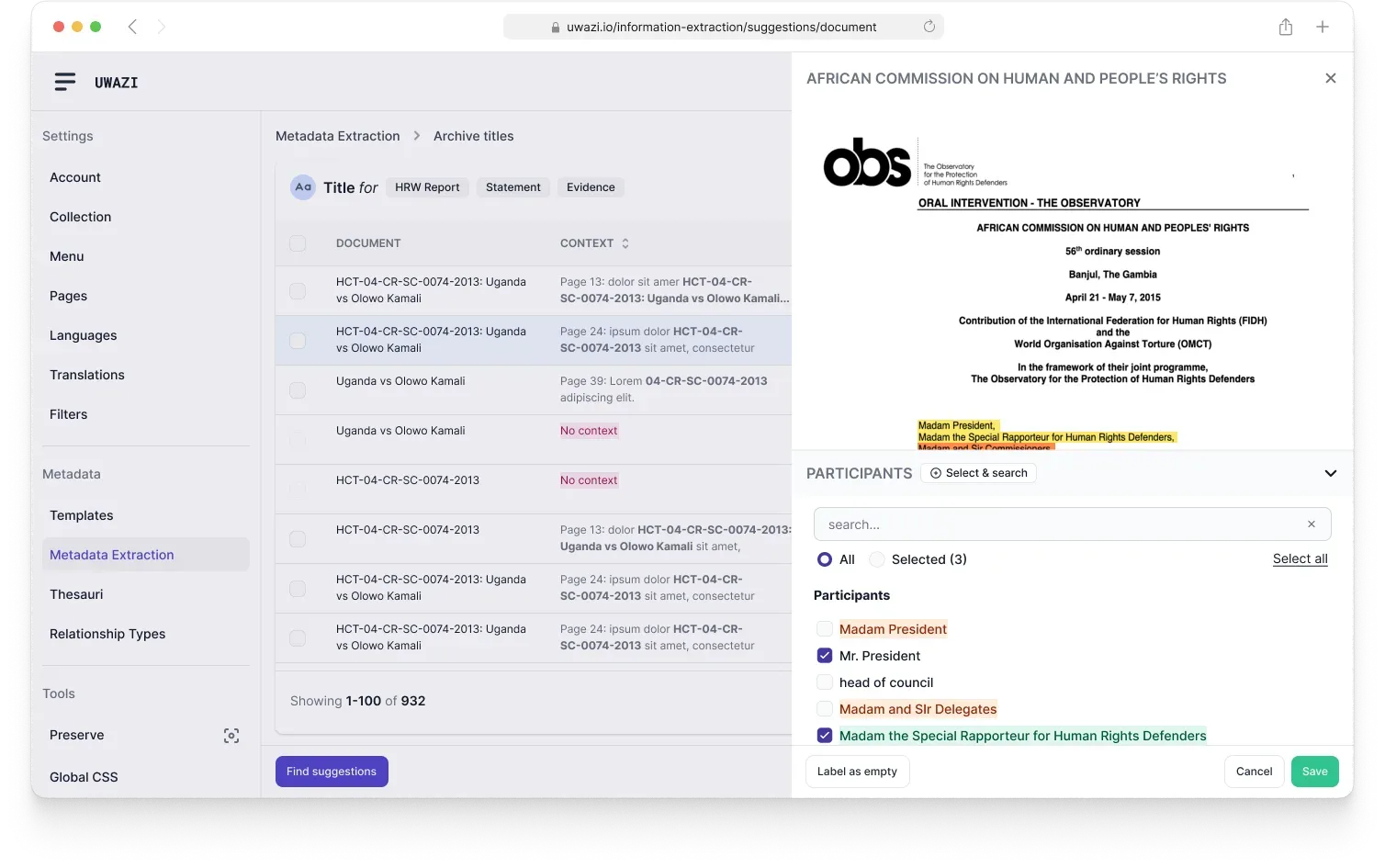
IX HUBs interface for labeling and updating suggestions over a PDF

IX HUBs interface for labeling and updating suggestions over a PDF.

Two extractors, shipped in the open

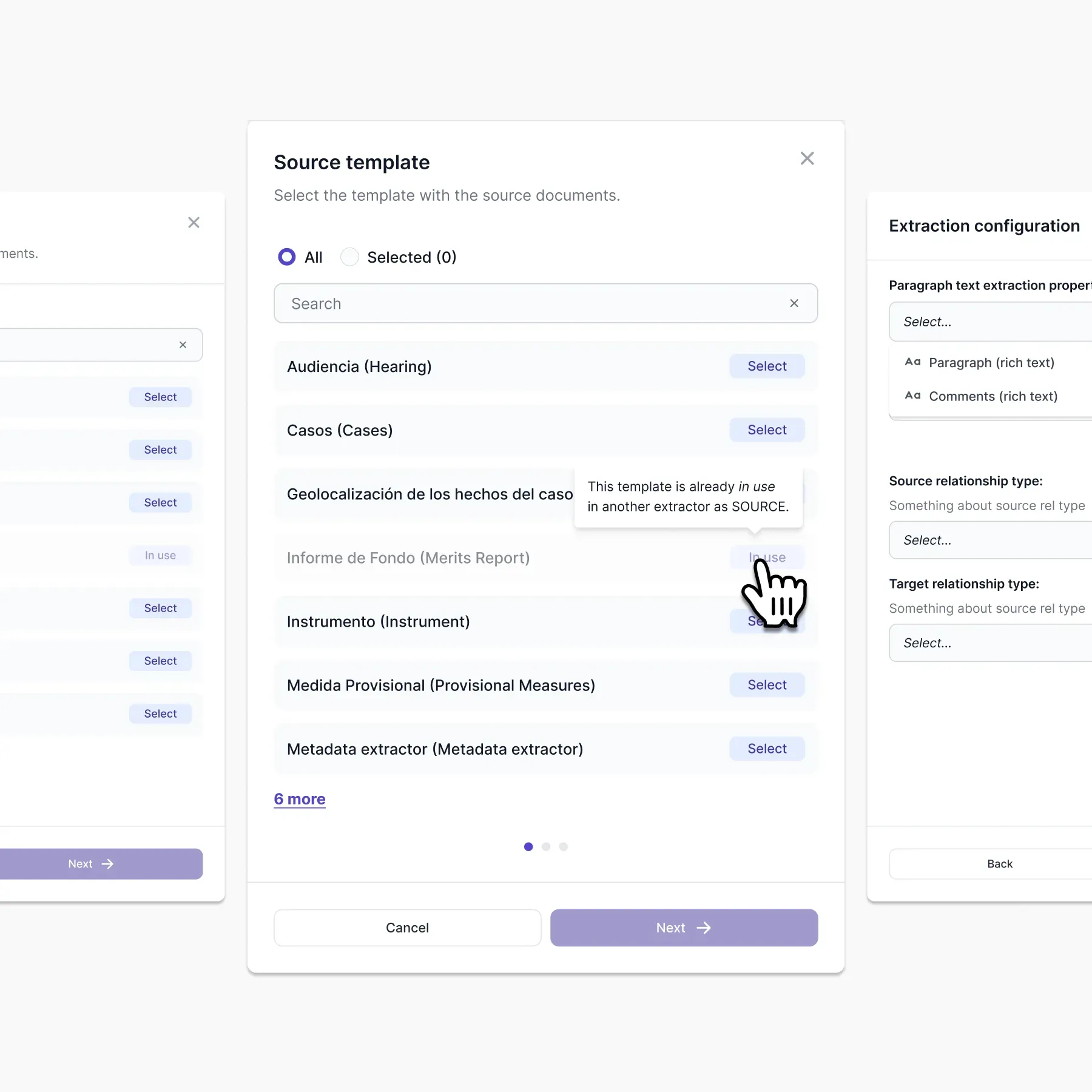
It became two features, because there are two shapes of question people ask a pile of documents. Information Extraction pulls a value into a field: the date, the court, the name of the claimant. Paragraph Extraction pulls a passage out of a long document and keeps it whole, for the cases where the thing you need is a paragraph of testimony rather than a value.

There was no usability lab for any of this. Uwazi is open source and the organizations using it were reachable, so features went out to real installations in small pieces and the feedback came back as bug reports and requests from people with live cases open. Slower to read than a test session, and much harder to argue with.

Screenshots showing before and after AI suggestion interfaces

Screenshots showing before and after AI suggestion interfaces.

PX extractor creation modal interface

PX extractor creation modal interface.

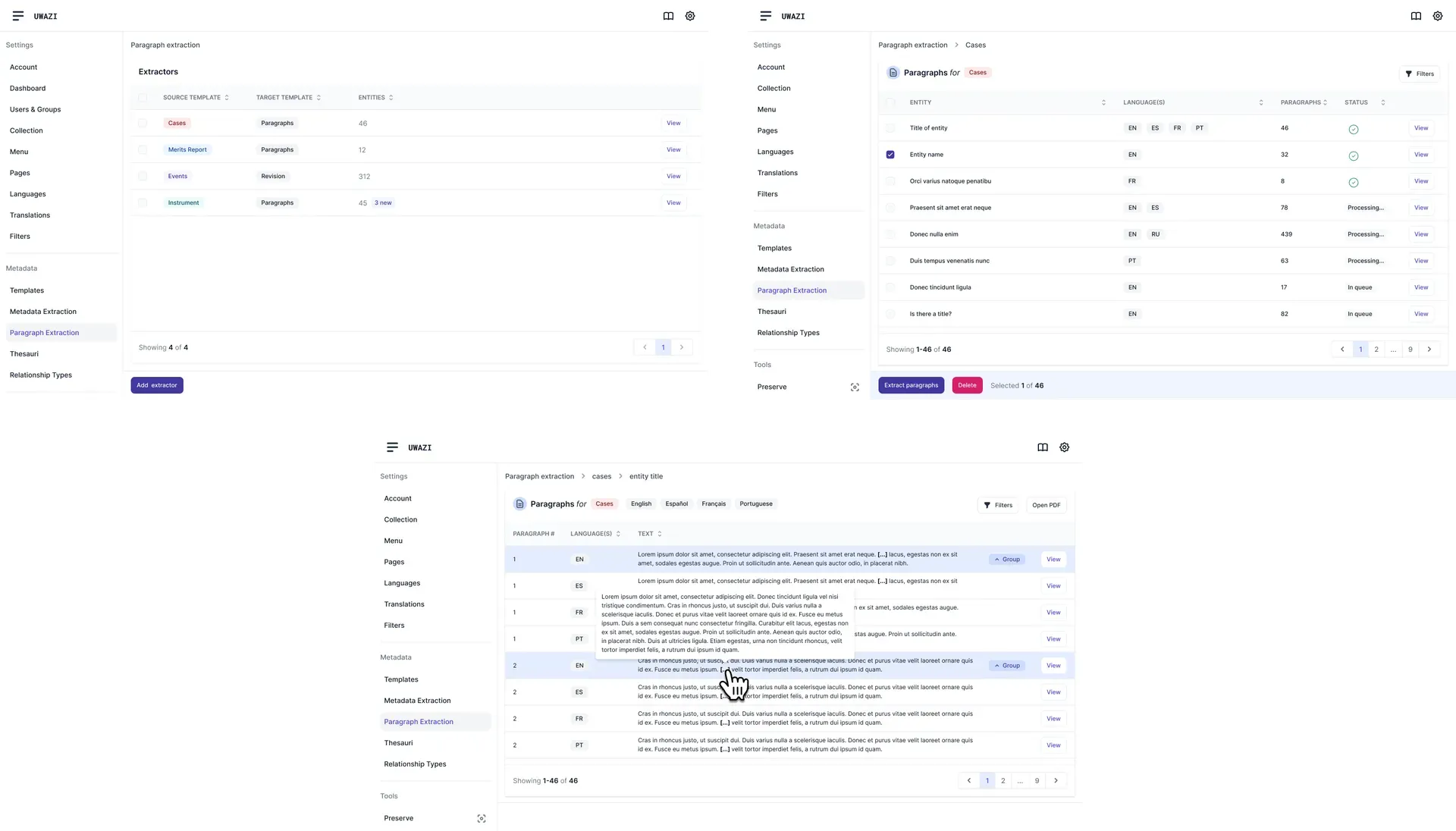
PX dashboard, entity and document extraction interface

PX dashboard, entity and document extraction interface.

Both features are in Uwazi today. Researchers with no technical background train their own extractors on their own document types, which was the whole bet, and it held. The thing they replaced was a person reading PDFs for as long as it took.

Interface showing a PDF document with highlighted AI-suggested information, and user controls

Interface showing a PDF document with highlighted AI-suggested information, and user controls for updating selections.

Paragraph extraction source template selection

Paragraph extraction source template selection modal.

Two things I kept

The interesting work in an ML feature is almost never the model. It is the handful of screens where a person decides whether to believe it, and those screens are where the trust is won or lost. Get them wrong and a good model is unusable. Get them right and a mediocre one is still worth having, because a researcher can see exactly where it is wrong and fix it in passing.

The other thing I would carry anywhere: design for the person's expertise, not their tooling. These researchers are experts on their documents. They are not experts on training data, and they should never have needed to be.


Huridocs | 2021-2025