Fastrack
The mark is the gauge
A fasting tracker for the Apple Watch.
Juan M. Cornejo
Fastrack
A notebook
Fastrack’s logo is the gauge: it fills from the bottom as the fast runs.
- Notes2
- The active fast, sketched3
- The mark is the gauge4
- Two clocks5
- Try it6
- The gauge on the watch7
- At the goal8
- The mark in four layers9
- In short10
A fasting tracker for the Apple Watch. I fast most days and wanted something that lived on my wrist: start a fast, glance at the mark, see what my body is doing, and log it without reaching for my phone.
1Fastrack
Notes
- I fast most days, and I wanted to read the fast at a glance on my wrist.
- There is no ring in the app. The logo is the gauge: it fills from the bottom.
- The mark is four bars under one mask. Each bar fills in its own quarter of the goal, and the hour it fills at sits beside it.
- At the goal the mark brightens and a glow of 2 pt appears. The glow grows by 1 pt for each hour past the goal, to a limit of 5 pt.
- The fill is measured against the goal I chose. The phase depends on the hours alone.
- 16:8 never reaches Autophagy. 18:6 reaches it at the end.
- On a tinted watch face, the complication (the small display on the face) draws the same shape in two opacities, 25% and full, instead of a gradient.
- The phases are the ones the app uses, not a medical claim.
2Notes
The active fast, sketched
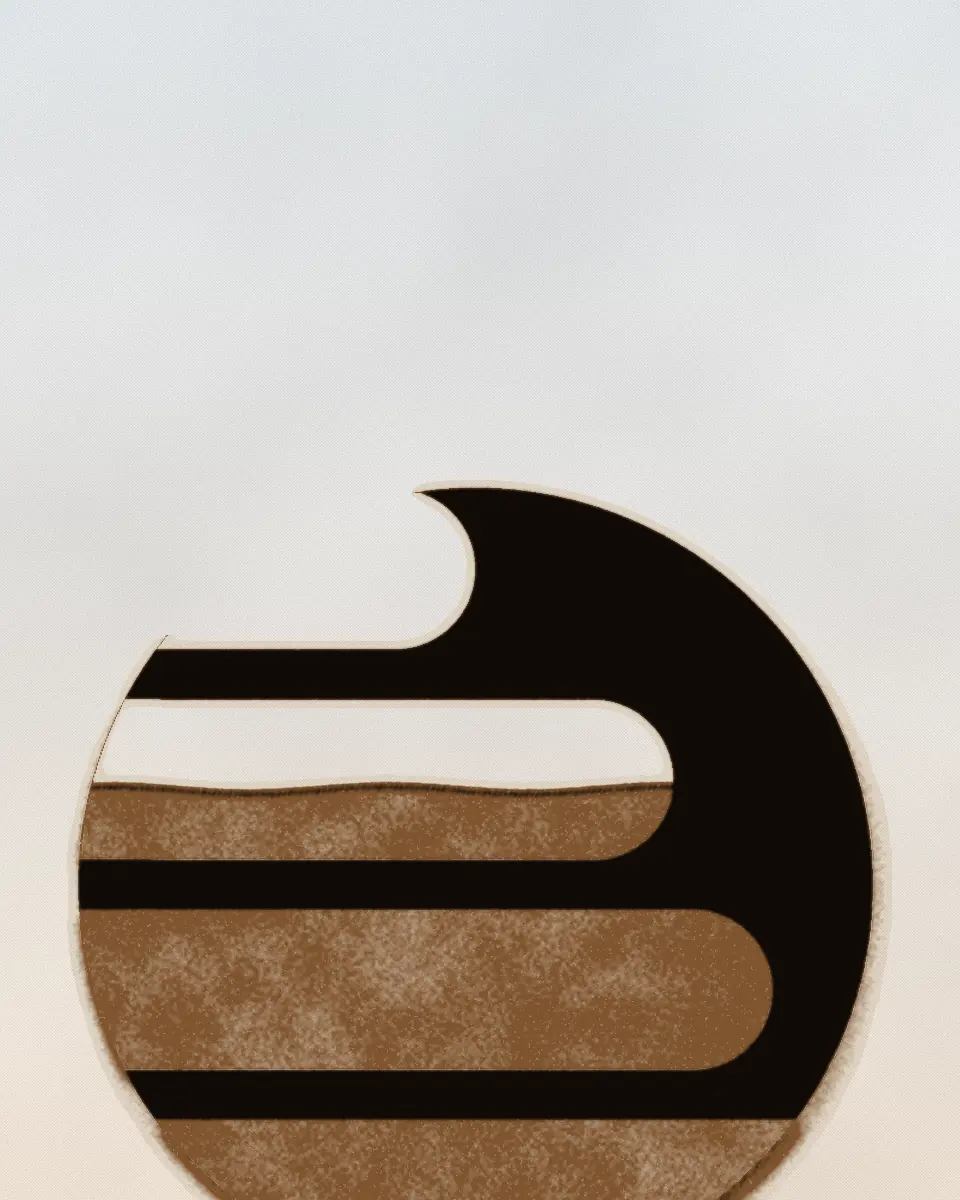
Figure 1. The watch on an active fast, sketched in code. The mark sits inside a circle with the water line across it and an hour beside each bar. The time is under it.
3Fastrack
Chapter 1
The mark is the gauge
In the build I am working on, not yet released, Fastrack has no ring. The Fastrack mark is drawn twice: first empty, in a track colour, then in a gradient that rises from the bottom as the fast runs.
The mark is four bars inside a circle, under one mask. Its top edge, the water line, fills the bars in quarters of the goal: the bottom bar is full at a quarter, the top bar at the goal. Beside each bar is the hour it fills at, so a 16 hour goal reads 4h, 8h, 12h and 16h. At the goal the mark brightens and starts to glow.
4The mark is the gauge
Two clocks
| Preset | Goal | Phase at the goal | Phase alerts (hours in) |
|---|---|---|---|
| The presets | |||
| 12:12 | 12 h | Metabolic Switch | 4, 8 |
| 13:11 | 13 h | Metabolic Switch | 4, 8, 12 |
| 16:8 | 16 h | Fat Burning | 4, 8, 12, 14 |
| 18:6 | 18 h | Autophagy | 4, 8, 12, 14 |
| 20:4 | 20 h | Autophagy | 4, 8, 12, 14, 18 |
| 24h | 24 h | Deep Ketosis | 4, 8, 12, 14, 18 |
The mark fills against the goal. The phase follows the hours alone. A 16 hour fast fills the mark and never reaches Autophagy, which the app starts at 18 hours. An 18:6 fast reaches Autophagy exactly at the end.
| Bar, from the bottom | Starts to fill at | Full at | Its label, 16 h goal |
|---|---|---|---|
| 1 | 0% | 25% | 4h |
| 2 | 25% | 50% | 8h |
| 3 | 50% | 75% | 12h |
| 4 | 75% | 100% | 16h |
Table 1. The phase at each preset’s goal, the phase alerts it schedules, and where each bar fills, in quarters of the goal, as in the build I am working on. Computed when the page was built, with the app’s functions ported to this page.
5Fastrack
Try it
Figure 2. The Fastrack mark as the gauge, with the phase and the alerts for the chosen goal, ported from the app. Move the elapsed time, or change the goal or the theme. Tint the face to see the complication’s two opacities.
6Try it
The gauge on the watch
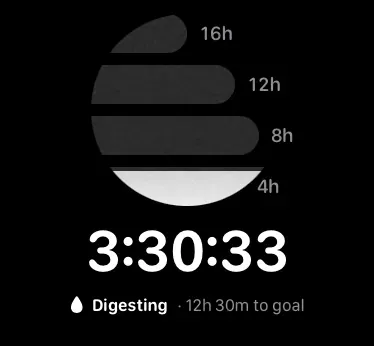
- 14h: the bottom bar is full at a quarter of the goal
- 216h: the top bar, full at the goal
- 3The water line, at 3 h 30 of 4
- 4The phase, from the hours alone
Plate 1. The active fast on the watch at 3:30 of a 16 hour goal. The bottom bar fills over the first four hours; each label is the hour its bar is full at.
7Fastrack
At the goal
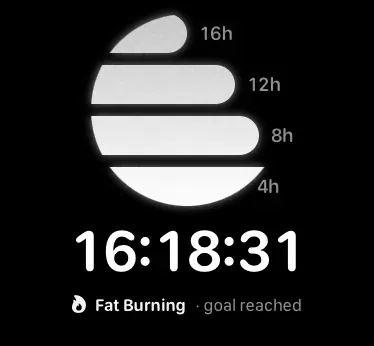
- 1At the goal the whole mark lights and glows
- 2Fat Burning: the phase, goal reached
Plate 2. The same screen past the goal, at 16:18. All four bars are full and the mark glows; the phase is named from the hours, whatever the goal was.
8At the goal
The mark in four layers
Figure 3. The mark in four layers, bottom to top. The mask sets the water line.
- 1The mark, empty, in the track colour.
- 2The gradient, in the theme’s colours.
- 3The mask, which covers one more bar for each quarter of the goal.
- 4A disc that clips the other layers to a circle.
9Fastrack
In short
Fastrack shows two things about a fast and keeps them apart: how far along the goal it is, and which phase the hours have reached.
The mark shows progress to the goal. The phase names the stage, as the app defines the stages. A short fast can be complete while its phase is still early.
The rest of Fastrack is in the case study: presets, history and streaks, reminders and the complications.
10In short